Guide
Using Git with Entropy Data

Fabian Biberger
Founding Engineer, Entropy Data ·
Using Git in your company can take many forms. We cover the most common use cases with Git support in Entropy Data. This article covers "Git as the leader", "Entropy Data as the leader (trunk-based)", and "Entropy Data as editor (with PR workflows)".
Prerequisites
For this Learn article, we assume that you know how to set up Git and connect data products and data contracts with their corresponding Git repositories. You can read more about this in the documentation.
The most important thing to remember here is that there are separate connections for data products and data contracts. The granularity is as follows: one object in Entropy Data is connected to "one file in one Git repository in one branch".
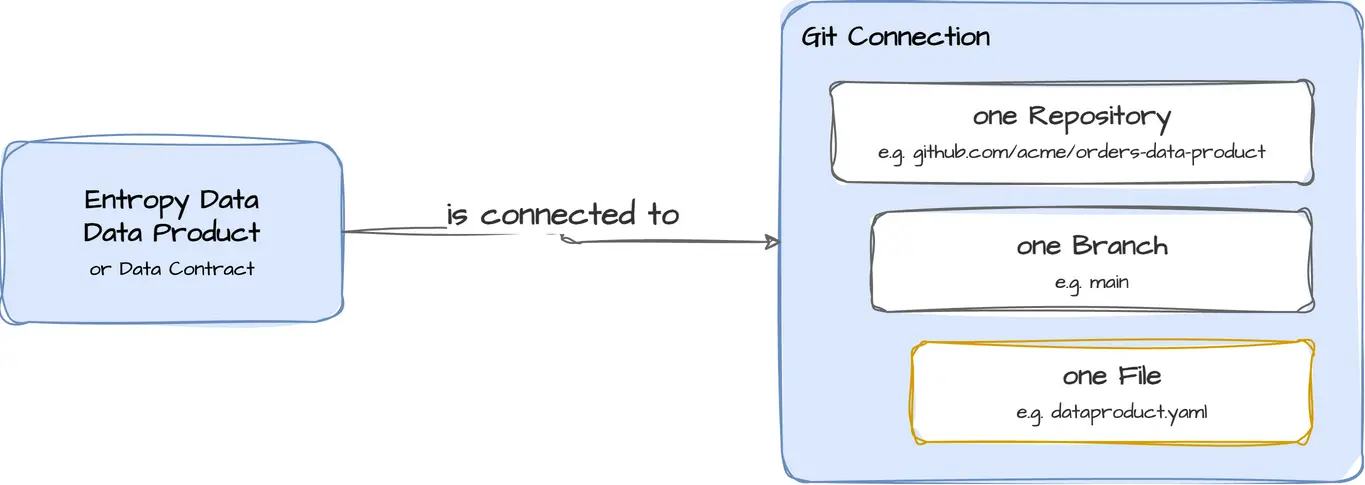
Recommended Repository Structure
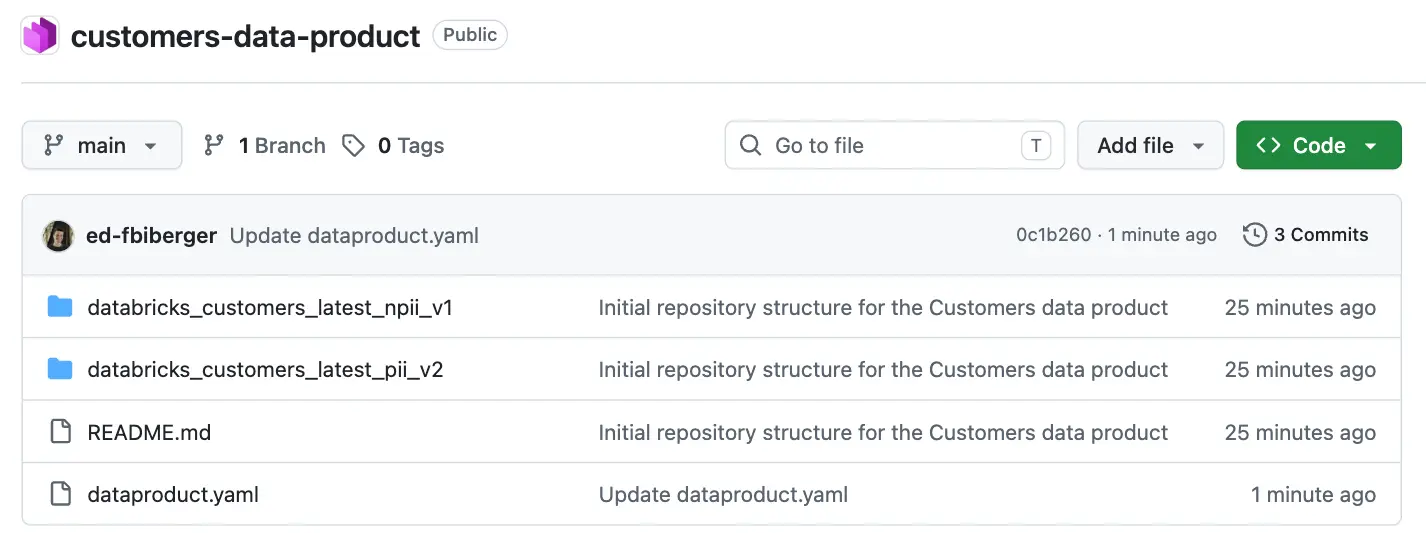
We recommend using one repository per data product. The data product YAML file resides in the root folder, together with the other files the data product needs.
Each output port has its own sub-folder, and the data contract YAML files go into that sub-folder.
Git as the leader
The first use case is to use Entropy Data as the visualization layer for your data products. The repository is the single source of truth and contains all code artifacts as well as the data product and data contract YAML files.
When a file gets updated, the changes are synced via a Git pull in Entropy Data:
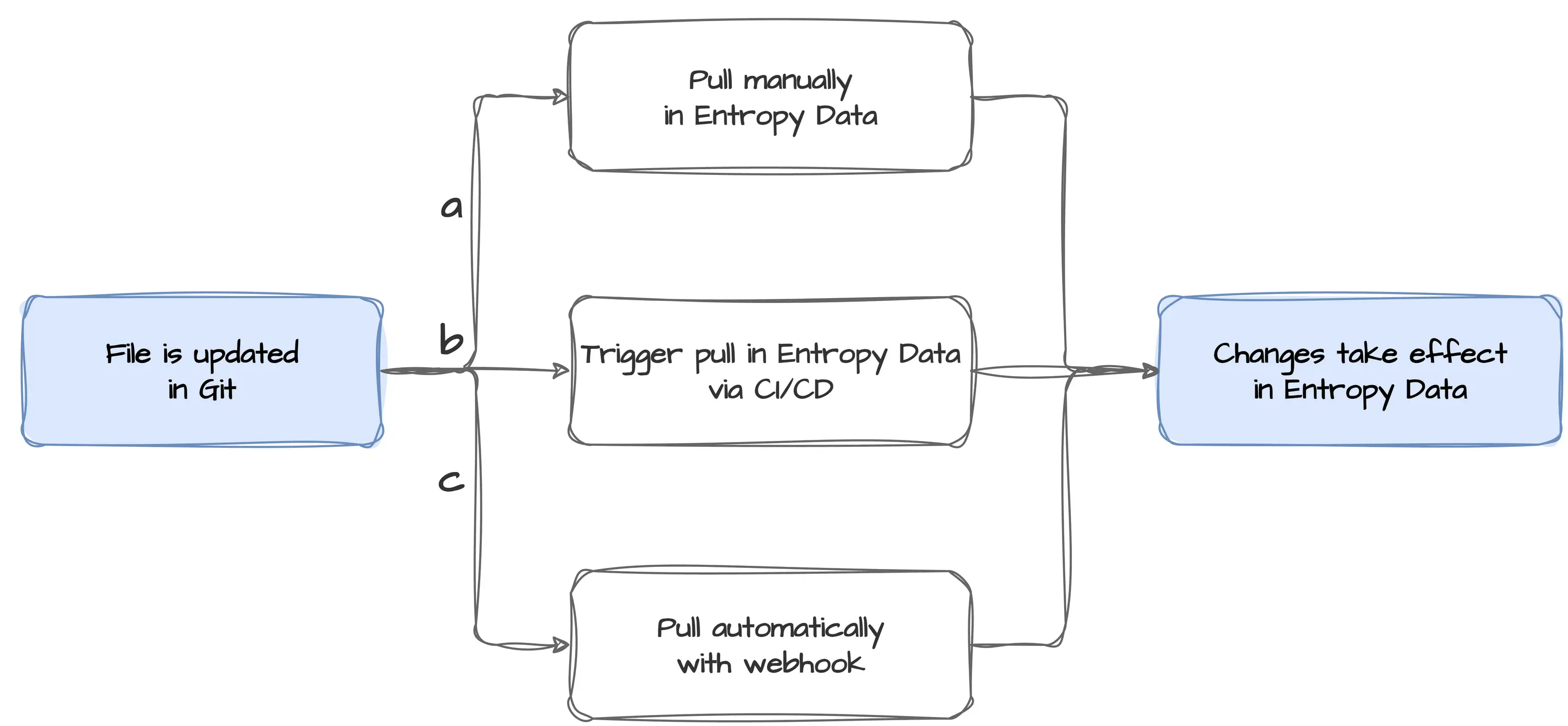
As you can see, there are multiple manual and automatic ways to integrate your workflows with Entropy Data in this case.
a) Pull manually
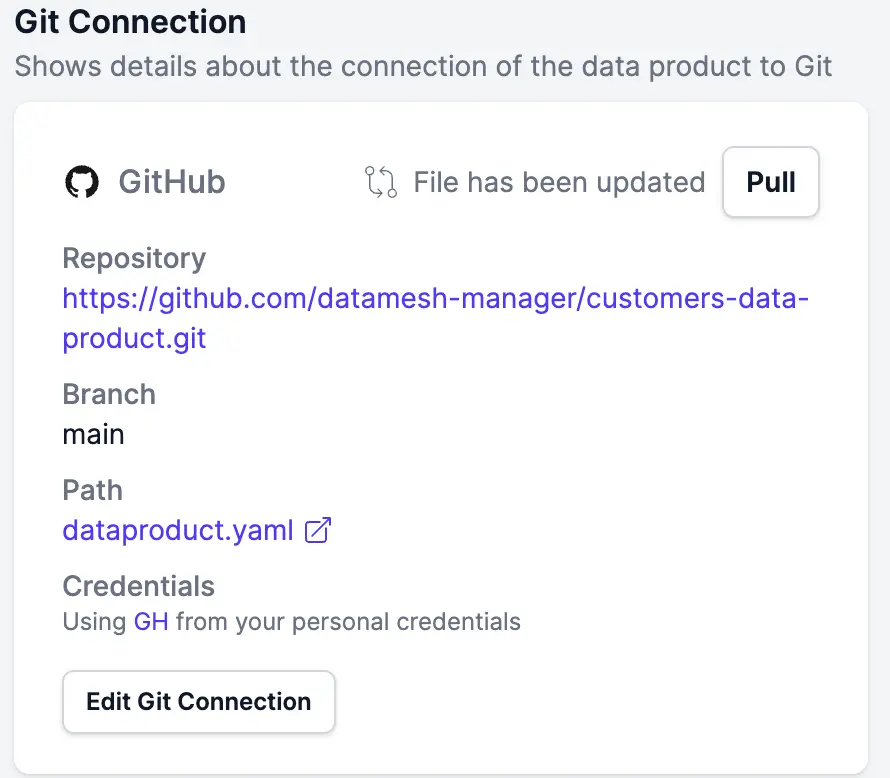
As soon as Entropy Data detects a change on the Git side, it displays a "Pull" button in the Git connection card when you open a connected data product or data contract. If you select it, the YAML is pulled from Git, the data product or data contract is updated in Entropy Data, and all changes take effect immediately.
b) Trigger a pull via the Entropy Data CLI or REST API in CI/CD
You can also trigger a pull for a file in your CI/CD pipeline. All you need is the unique identifier of your resource. See the Entropy Data REST API for more information about which requests are available. We plan to add support for Git pull in the Entropy Data CLI soon.
c) Enable webhook sync
When setting up the connection for your resource, Entropy Data generates a unique Webhook URL, shown in the Auto Sync Git to Entropy Data section of the Git connection dialog. Copy this URL and create a webhook for it in your Git provider (for example, in the repository settings on GitHub). From then on, whenever commits are pushed to the connected repository, the file is updated in Entropy Data automatically. If the webhook fails for some reason, you may need to pull manually; your Git provider will inform you about failed webhook calls. To debug problems here, have a look at our documentation.
CI/CD-only integration
If you have restrictions concerning external apps or services using your organization's Git credentials, it is possible to use the Entropy Data API to sync your data product and/or data contract YAML files in your CI/CD pipeline.
You would not have the extra features like conflict detection, resolution and the complete set of editing capabilities of Entropy Data in that case.
Entropy Data as the leader (trunk-based)
If you want to benefit from the editing capabilities of Entropy Data, you can use a
trunk-based approach to development. This means that all contributors to a repository work
on the main branch and commit changes frequently. If Entropy Data is the only
tool used to work on the files in Git, the workflow for this way of development is
straightforward:
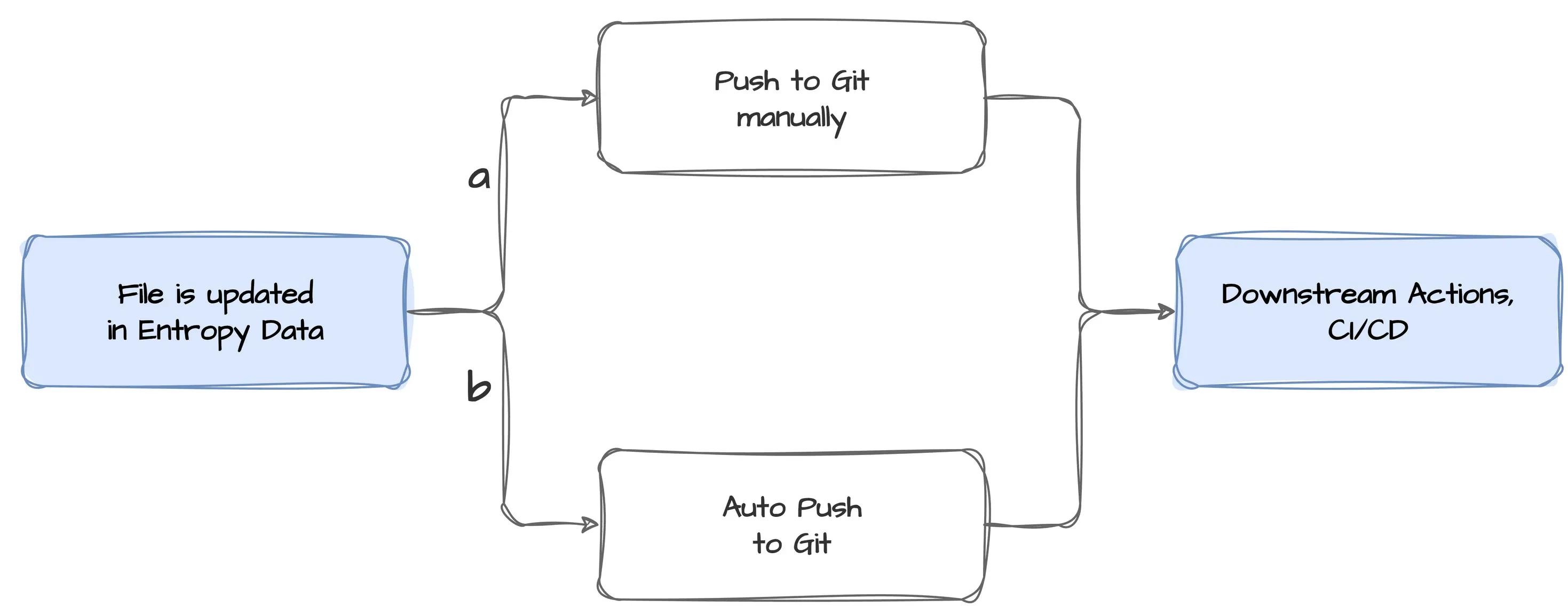
a) Push to Git manually
You edit the resource in as many steps as you want with the Entropy Data editors and then decide that a new iteration in Git is due. You select the "Push" button, which is shown automatically whenever Entropy Data detects changes to a resource. You can choose between "Push Directly" and "Create Pull Request" (see below). For trunk-based development, choose "Push Directly", and the file is updated in Git.
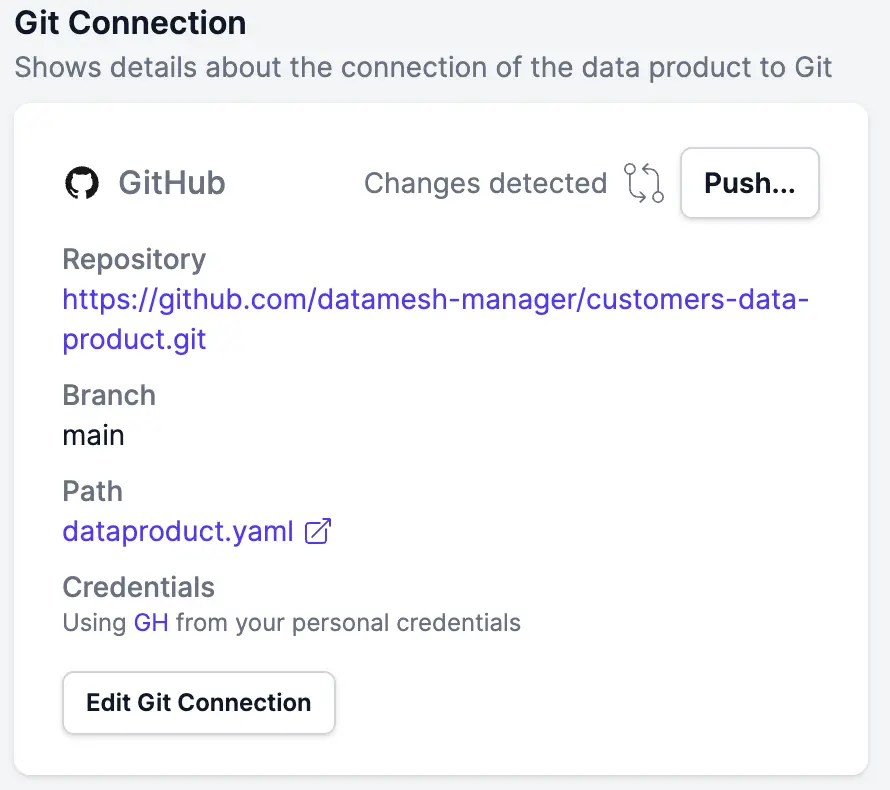
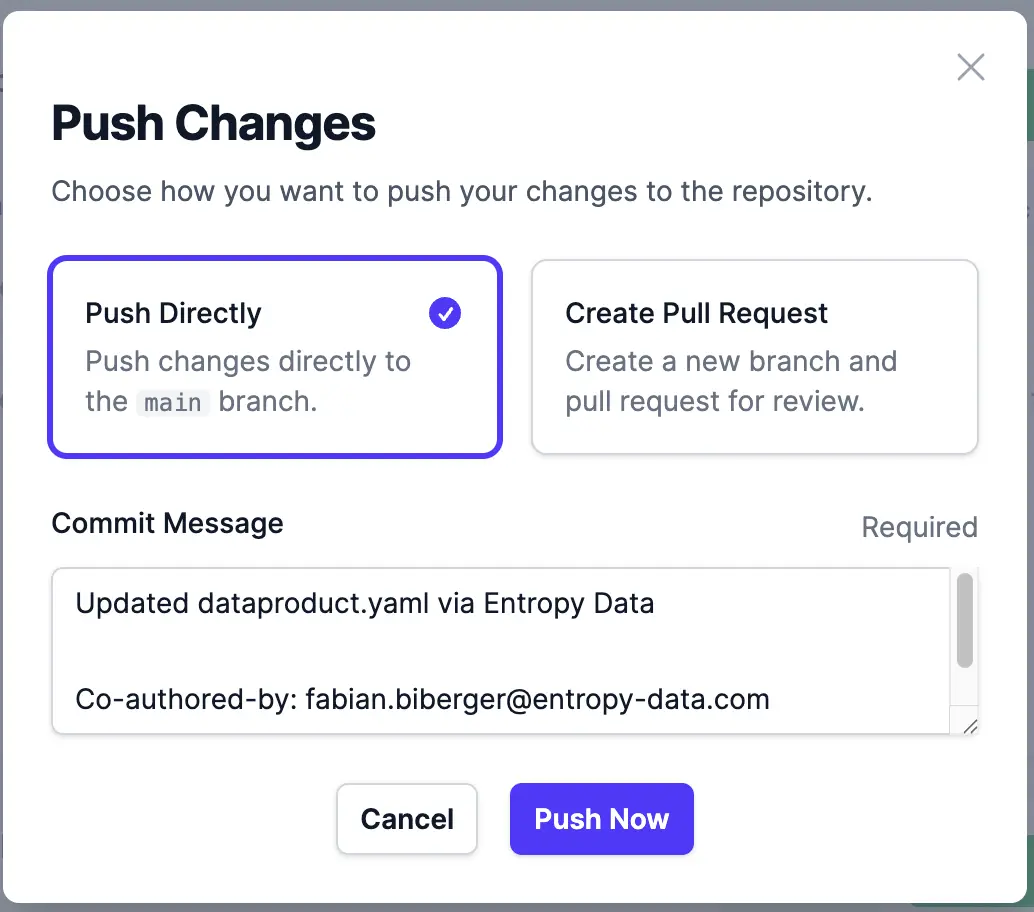
All downstream actions that depend on a Git push are triggered according to your CI/CD pipelines, other hooks, listeners, and so on.
b) Enable Auto Push
You can also enable the "Auto Push" option when creating a Git connection for a resource. In that case, every save on a data product or a data contract is automatically pushed to the connected file on the connected branch in Git.
Downstream actions fire again whenever such a change happens.
Entropy Data as editor (with PR workflows)
Many organizations use a protected main branch to have deeper control over
the changes that are deployed to their production environments. For those cases, Entropy
Data supports pull requests and merge requests (for easier readability, referred to as PRs
from here on).
In this Learn article, we assume that you use Entropy Data to edit data products and data contracts and then want to update the files in Git afterwards.
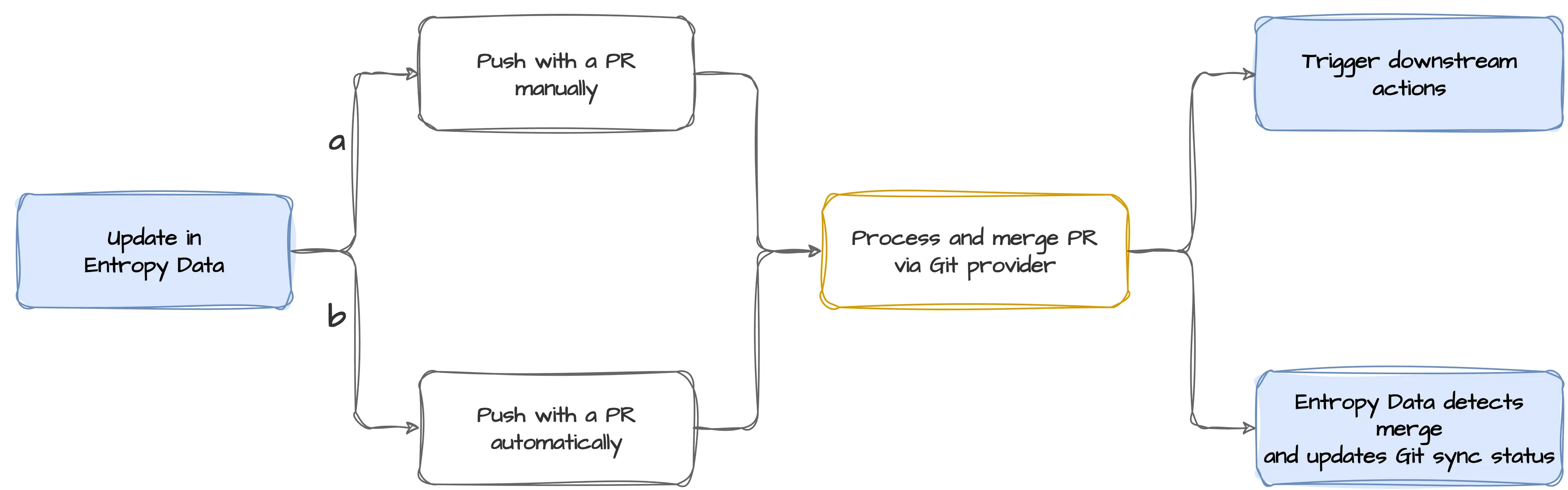
a) Push with a PR manually
As already described above, a "Push" button appears on the Git connection card for any change that is present in Entropy Data but not yet synced with Git.
If you want to use the PR approach, select the option "Create Pull Request" in the modal that appears.
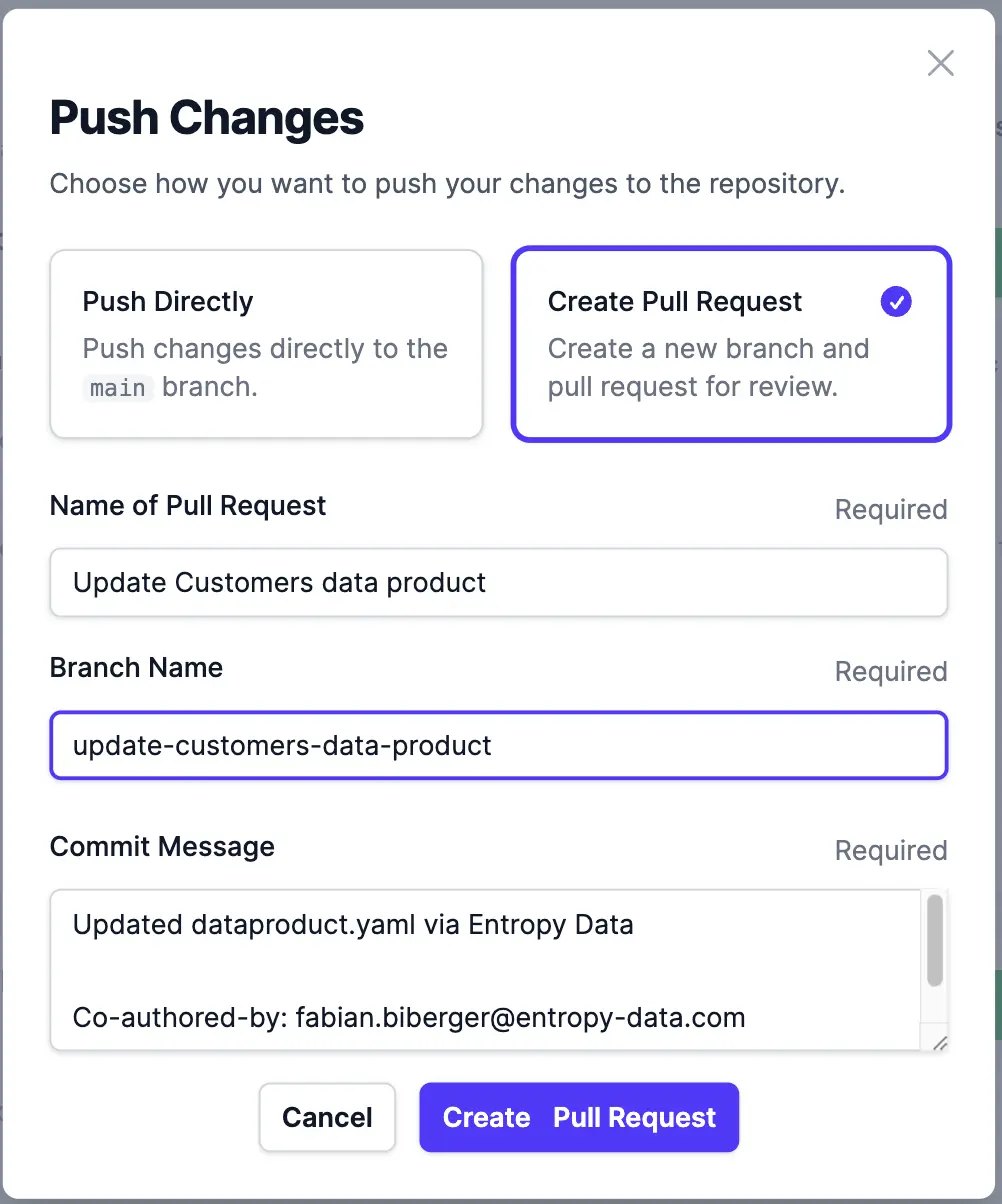
As you would expect, the UI lets you name the branch to be created, the PR title, and the commit message.
Once you have confirmed your choices, Entropy Data creates a new branch in the connected repository, commits and pushes the changes to that branch, and opens a new PR in your Git provider. Pending PRs are displayed in the Git connection card of your resource.
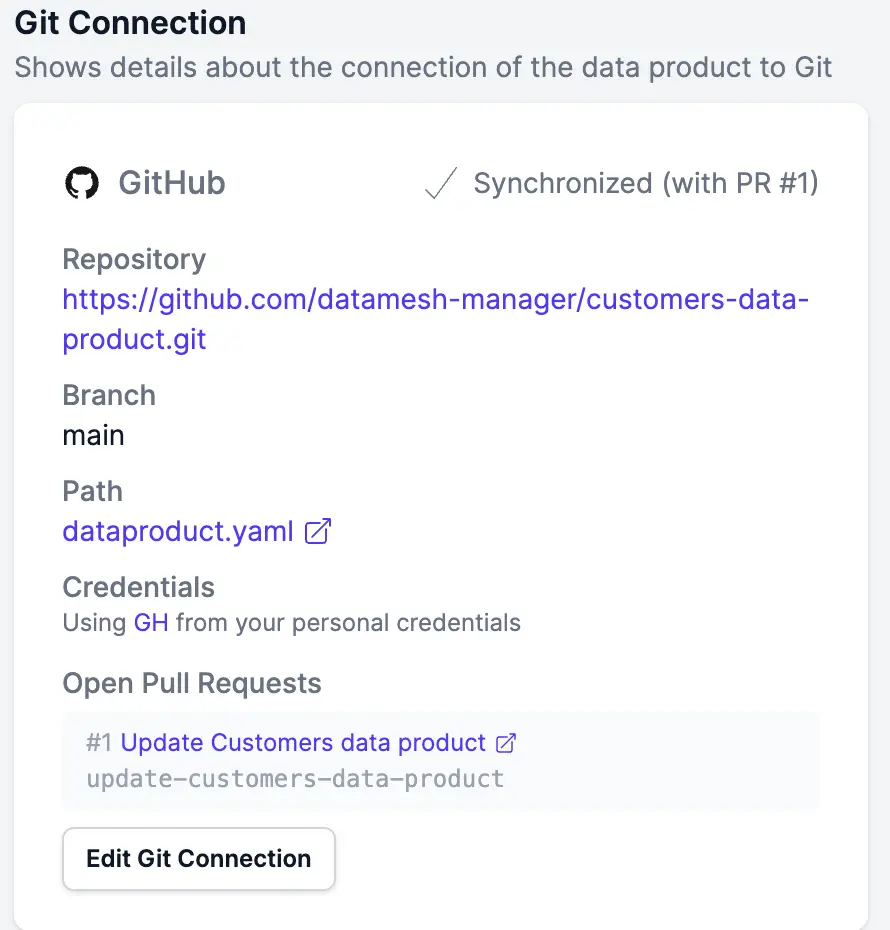
Your team can then follow your default workflows for changes, such as code reviews and automated tests. You can still use Entropy Data to apply changes on top of the PR and push them to the PR branch as long as it is still open.
When everything is complete and the PR is merged, Entropy Data automatically detects the closed PR and updates the sync status.
Note
When you decide to use this approach, keep in mind that the object in Entropy Data (for example, the data contract) will not be in sync with the repository version for as long as the PR is open.
After the merge, your default actions are triggered, just as usual.
b) Push with a PR automatically
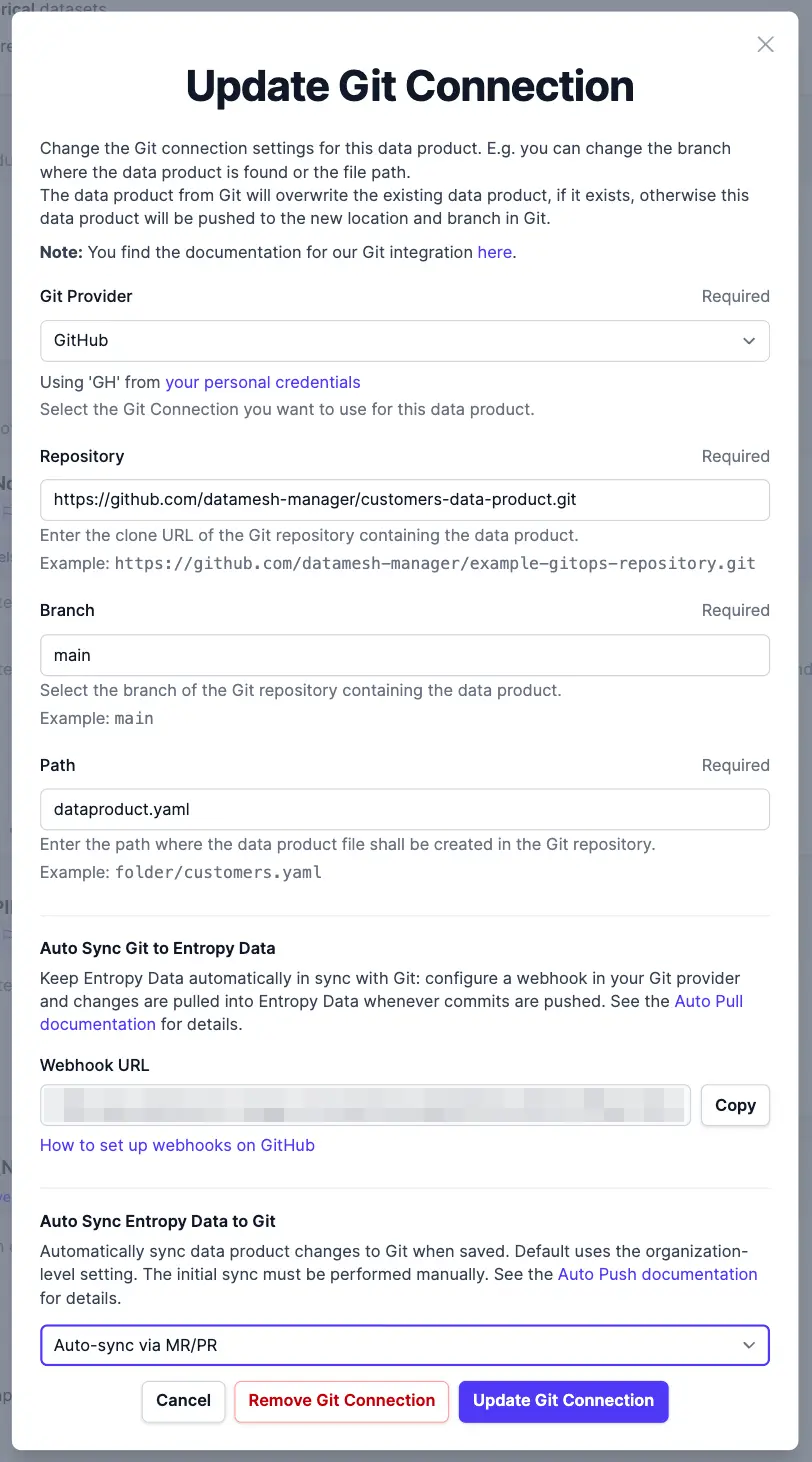
If you have enabled the option to auto-push to a PR when creating the Git connection, the workflow is more or less the same, but some steps happen implicitly. If a PR is already pending, changes are automatically committed and pushed to that PR's branch. Otherwise, a new PR is created with your default settings for branch, PR name, and commit message.
Once all changes are done, everything described above for the manual process applies here as well.
Manage Data Products and Data Contracts with Entropy Data
Entropy Data provides a web-based platform to manage data products, data contracts, and data usage agreements as a self-service, with Git integrations for all the workflows described in this article.
Sign up for free, or explore the interactive demo.
About the author
Fabian Biberger
LinkedIn of Fabian BibergerFounding Engineer, Entropy Data