Put Your Data Under Contract
How do you put an existing table under a data contract?
By Dr. Simon Harrer · · 1:56 video · 8 slides
In short
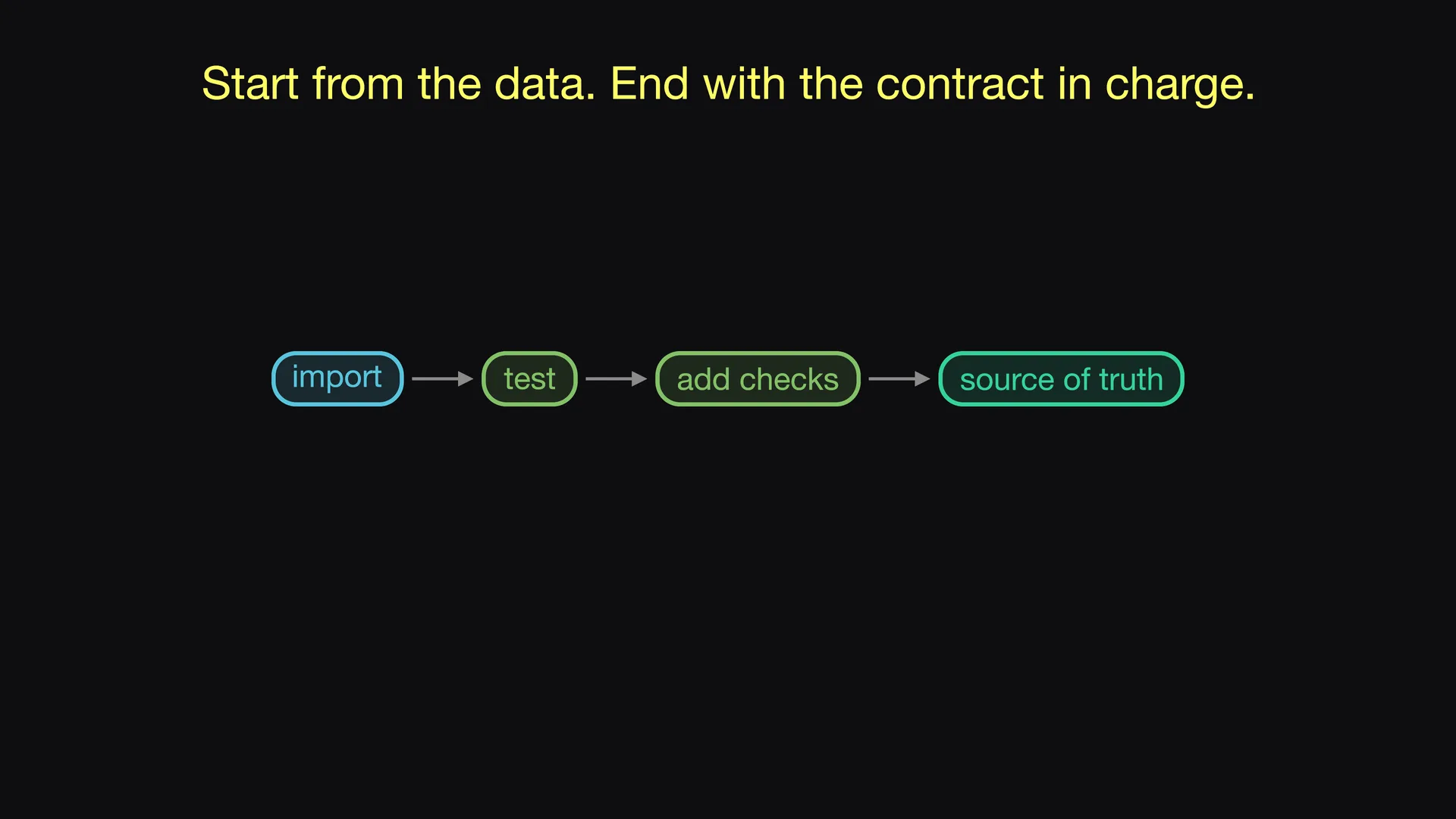
Import the existing table with the Data Contract CLI and test the data against the result. Then add what only you know. After that, the data contract is the source of truth, and each change starts in the data contract.
Watch on YouTube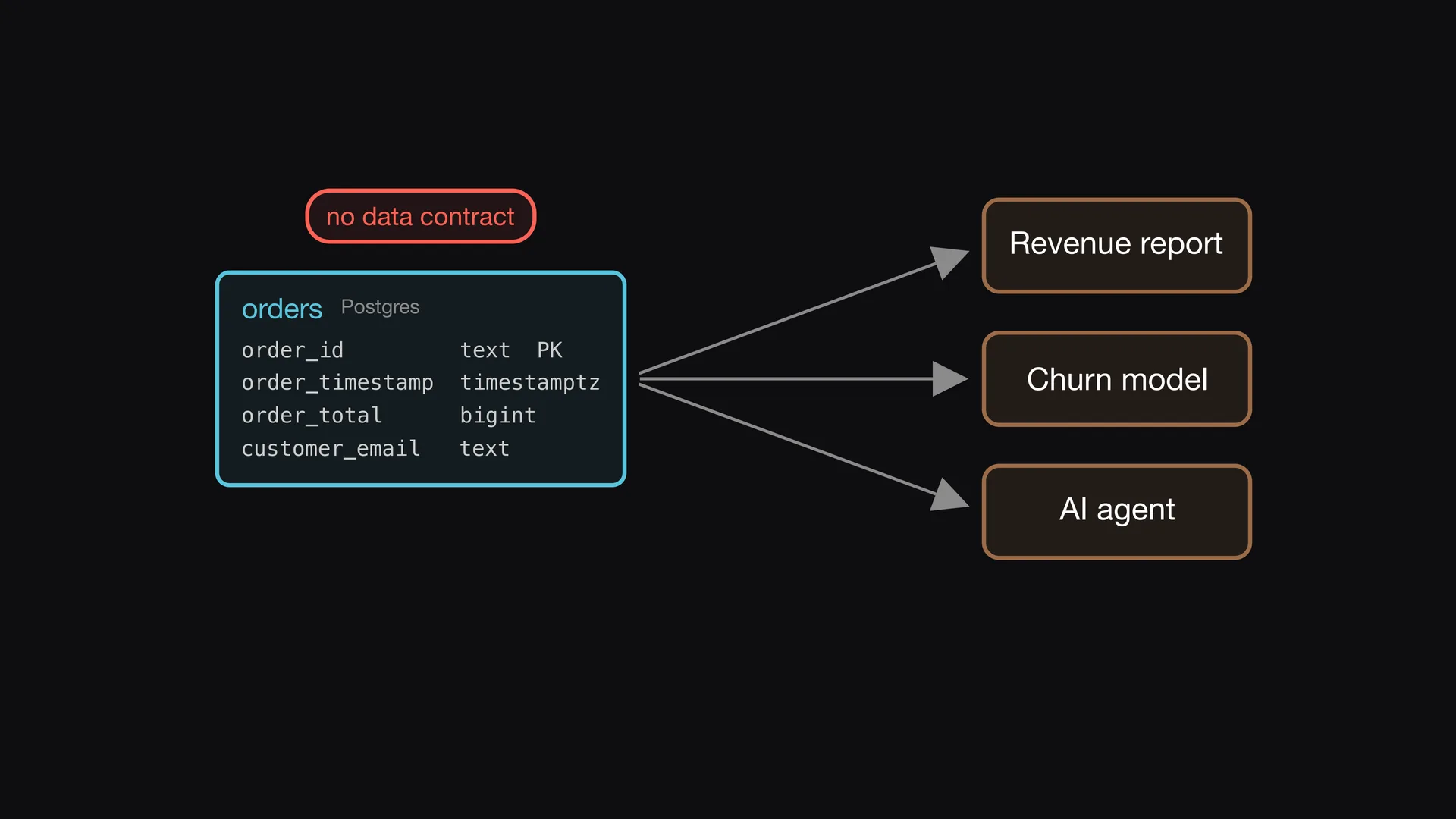
A table without a contract
The orders table is in production for years. Three teams use it, but it has no data contract. If you write the data contract by hand, you type each column and each type again. You will make some mistakes. So you start from the data that you already have.
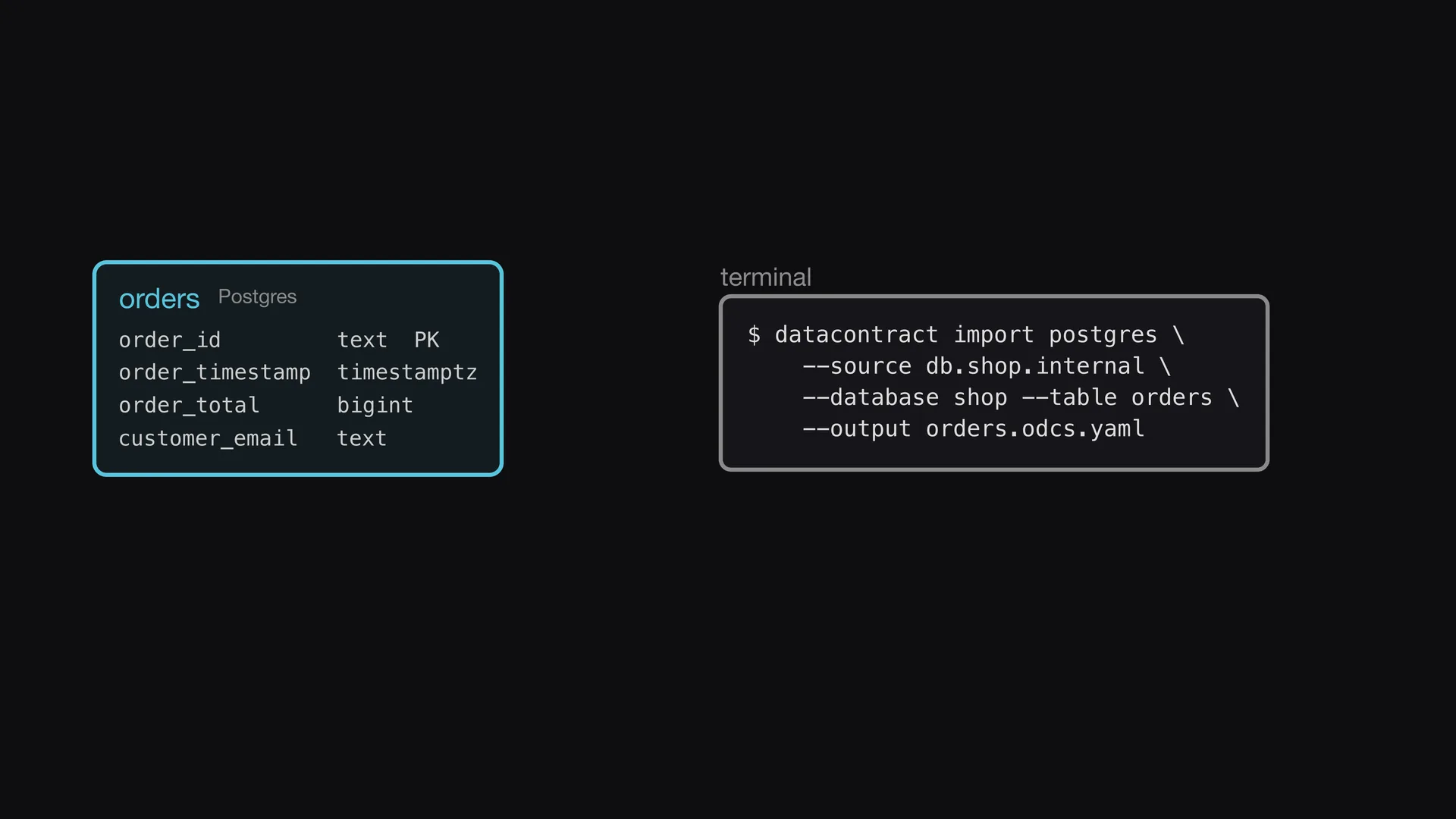
Import from the database
The Data Contract CLI imports the table directly from the database. You give it the source, the database, and the table. The command writes a new data contract file. You do not type the columns and the types by hand, so the data contract has no typing errors.
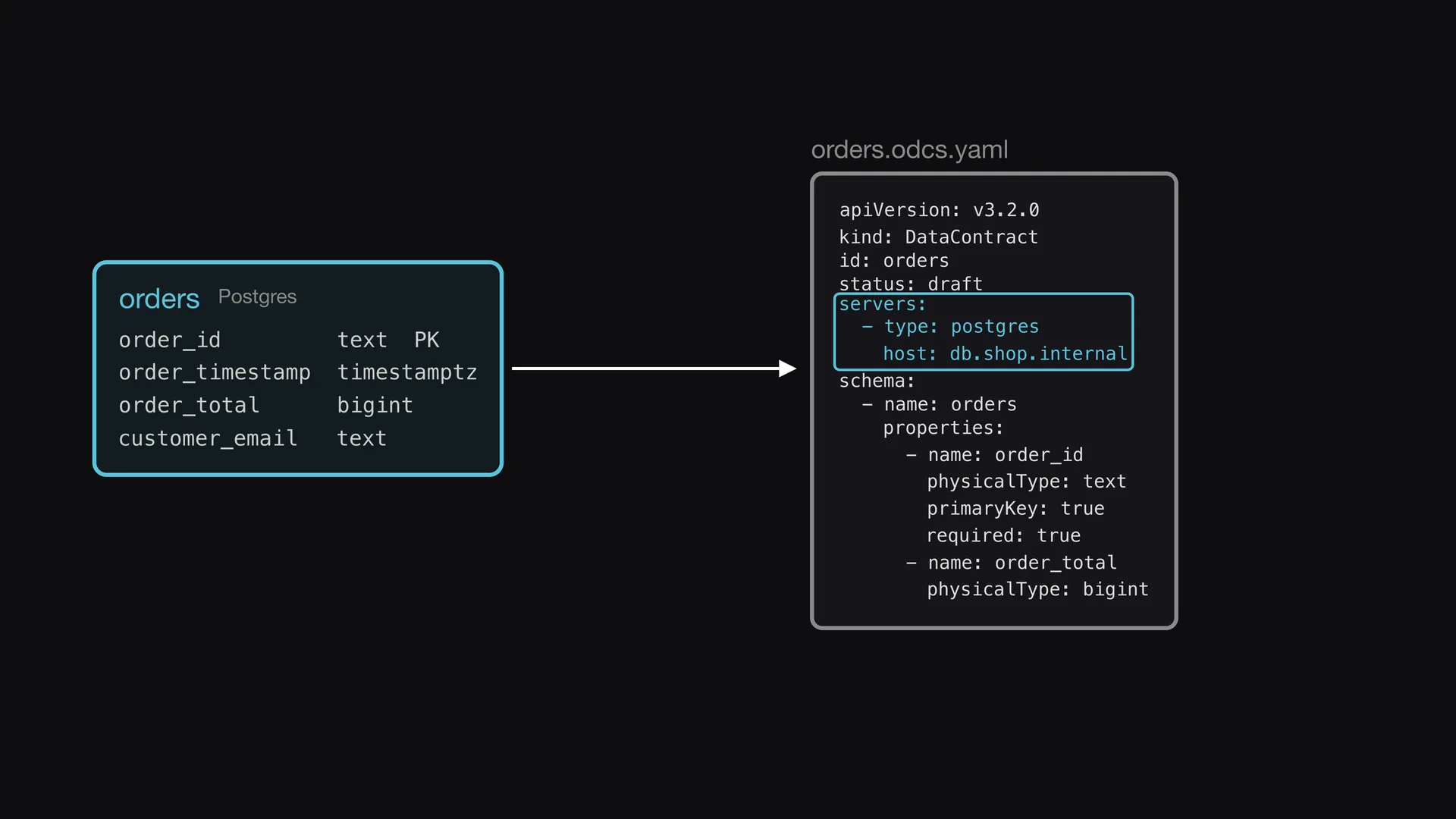
Structure and servers
The import reads the columns, the types, the nullability, the primary keys, and the comments. It also writes a servers block. So the data contract knows where the data is. The status of the new data contract is draft.
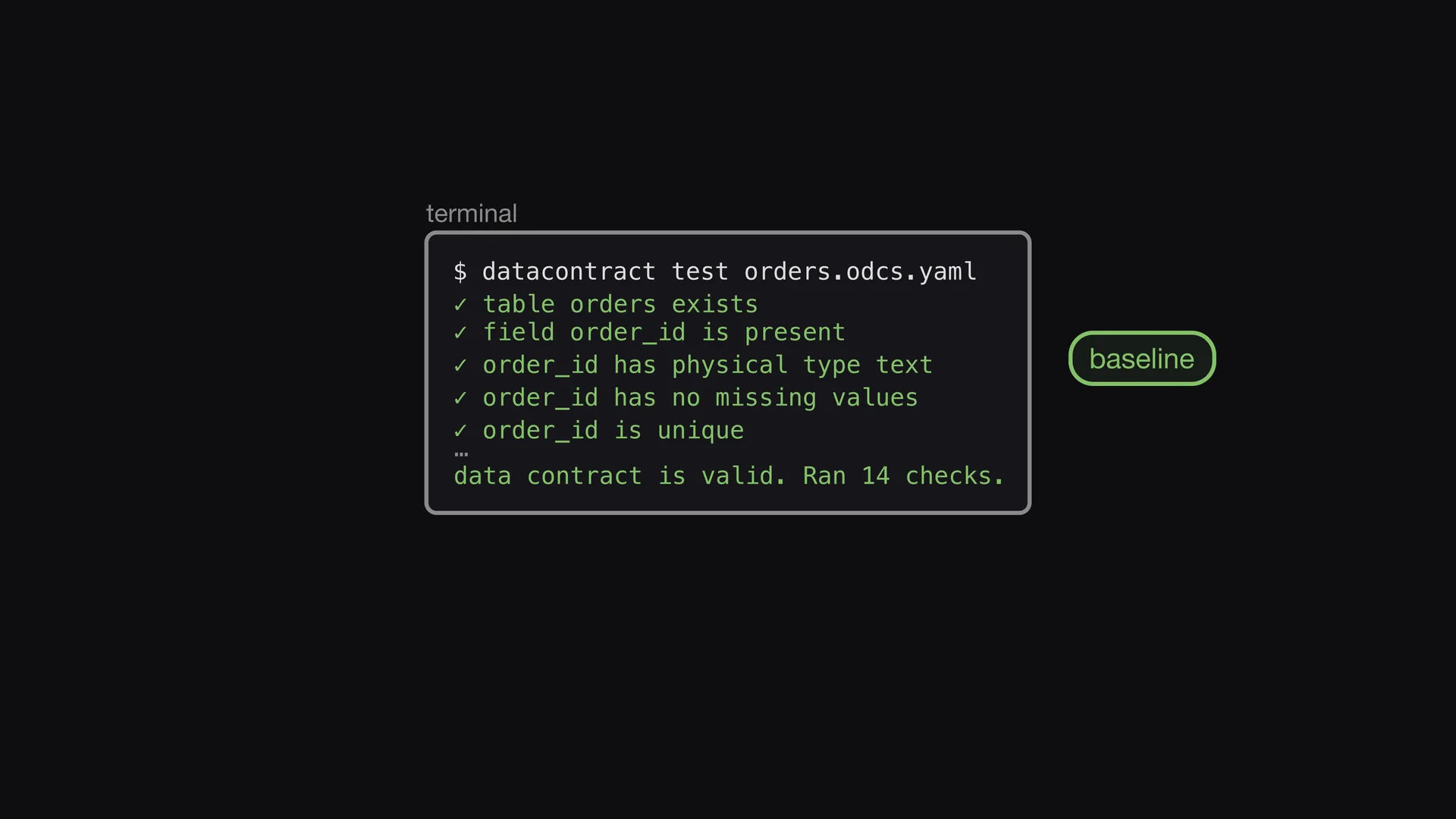
The first test is the baseline
Now you test the data contract against the real data. All checks pass, because the data contract shows the data as it is. This result is your baseline. From now on, each change in the database that does not agree with the data contract makes a test fail.
Add what only you know
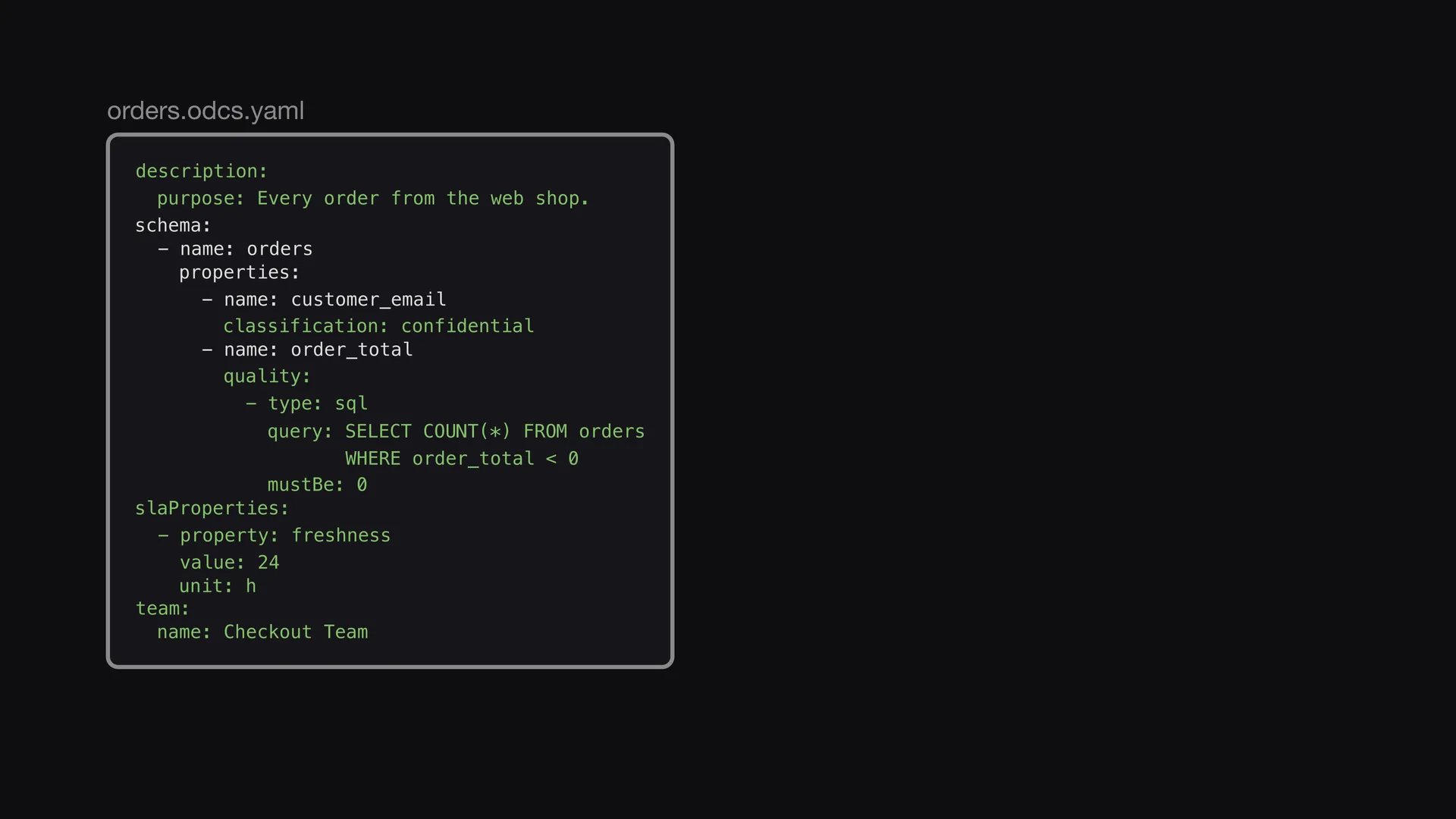
The import knows only the structure. The meaning of the data and your promises come from you. You add a description, a classification, a quality rule, a freshness promise, and an owner. The database cannot give you this information.
The test finds a bug
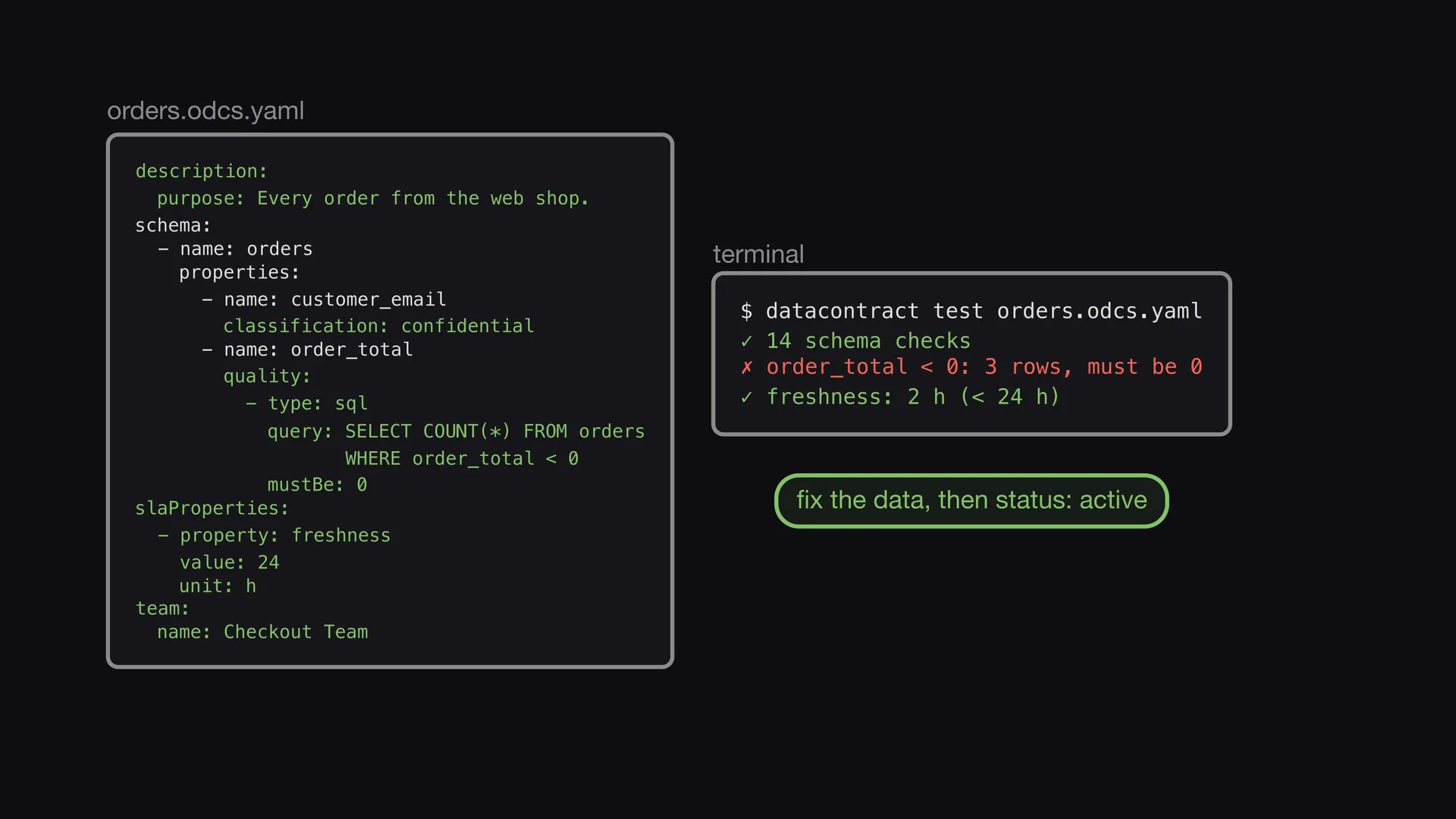
You run the test again. Three orders have a negative total. Nobody saw this bug before. You fix the data until all checks pass. Then you set the status of the data contract to active.
The data contract is in charge
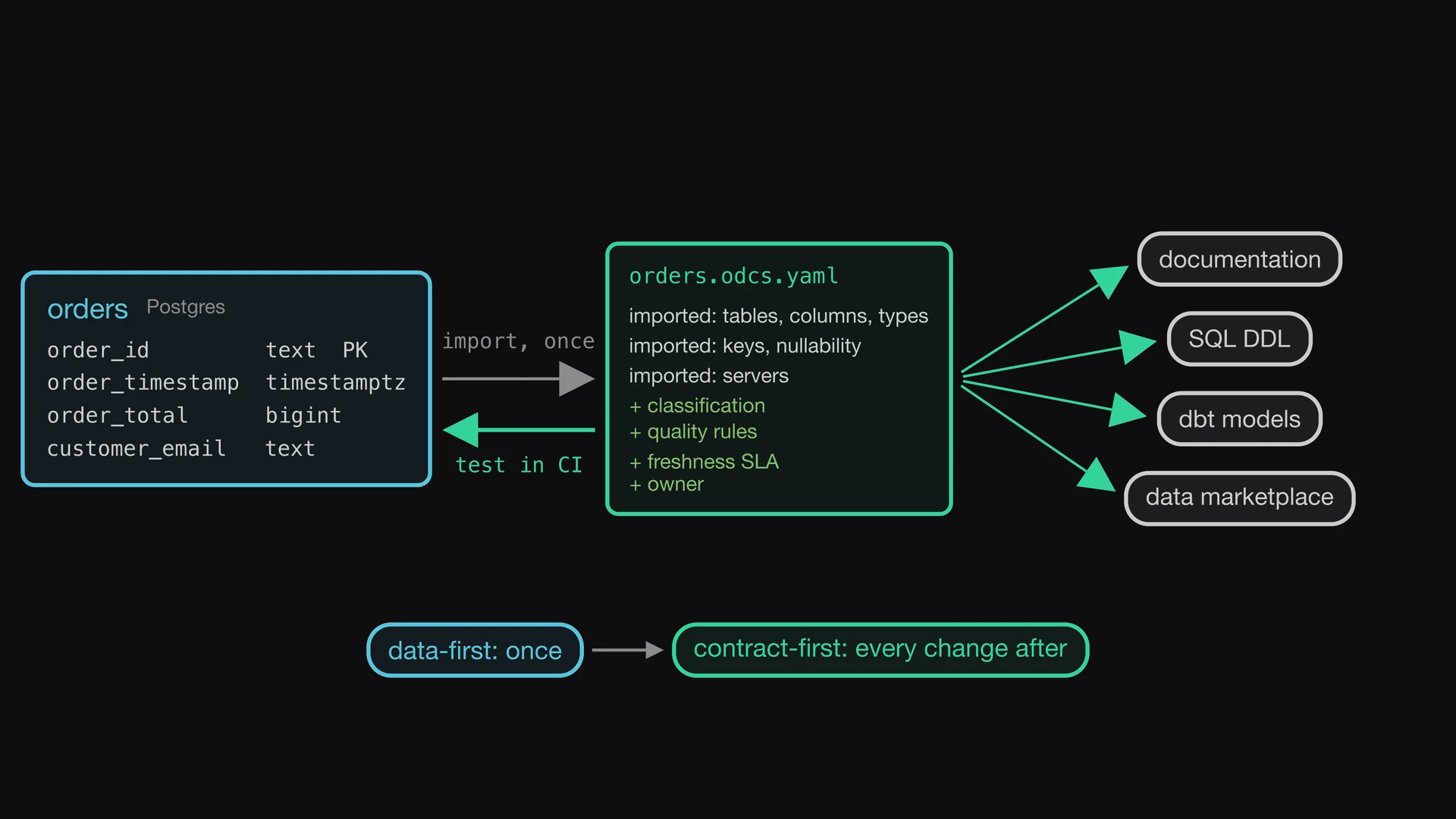
You import only once. From now on, the data contract is the source of truth. Each change starts in the data contract and is tested in CI. Documentation, SQL DDL, dbt models, and the data marketplace entry come from it.
Data-first once, then contract-first
Import what you have, test it, and add what only you know. You go data-first only once. After that, each change is contract-first. The data contract leads, and the database follows. The pipeline code, the documentation, and the data marketplace entry also follow the data contract.