Feature
Sync your Power BI workspaces seamlessly with Entropy Data

Jochen Christ
Co-Founder & CTO, Entropy Data ·
Power BI is where your data turns into decisions. For most teams, it is also where governance goes dark. Semantic models, reports and dashboards sit inside Fabric workspaces the rest of the data platform can't see. Entropy Data fixes that: Power BI is now a first-class, fully governed part of your data landscape.
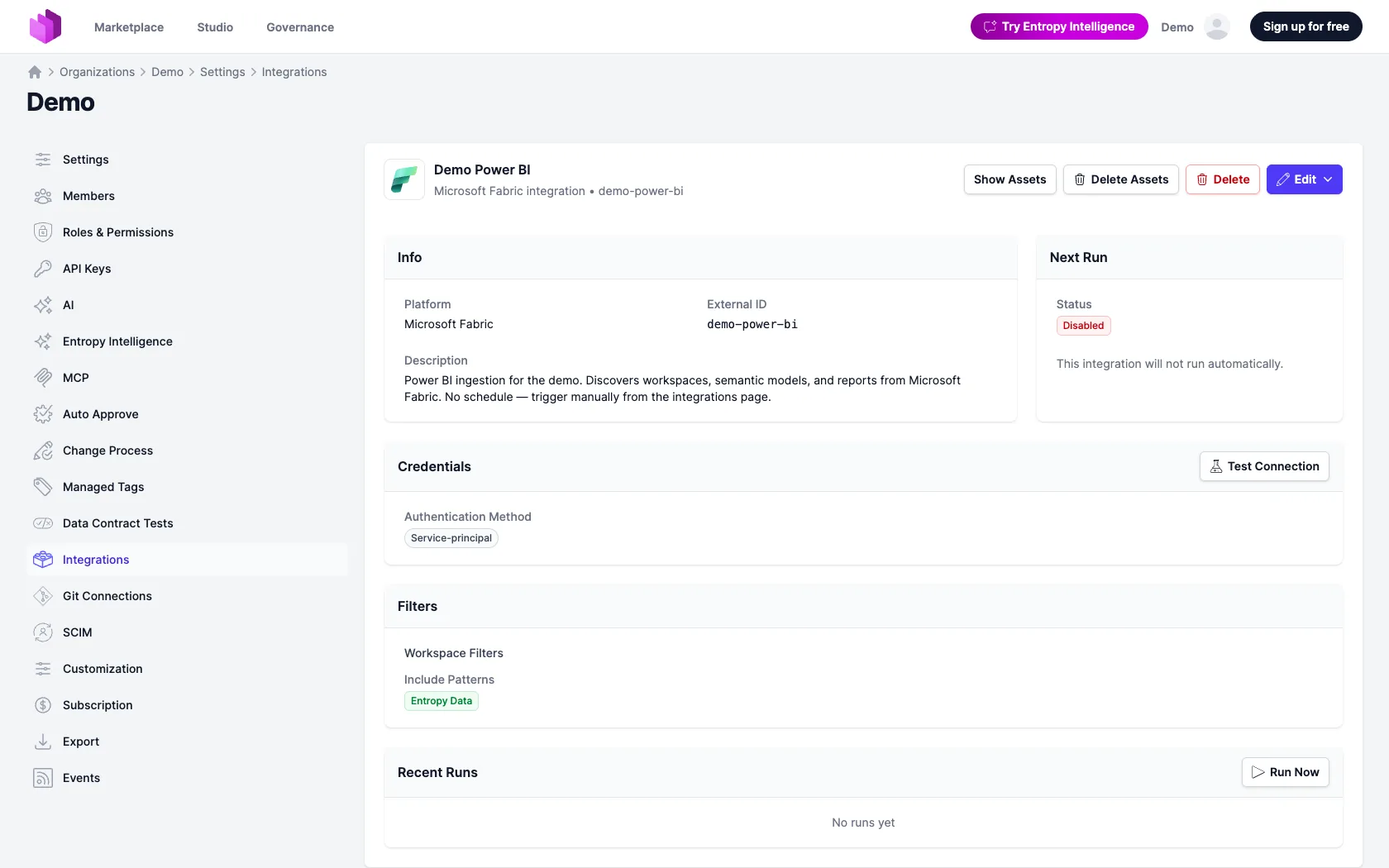
A first-class integration for Power BI. Add a Microsoft Fabric integration, pick the workspaces to sync, and set it to run on a schedule or on demand. Connect once and it stays connected. It is a native, standing integration that keeps your catalog current, not a one-off importer you re-run by hand.
Assets visible for every type of Power BI item. Semantic models, reports, dashboards, datamarts, paginated reports and tables, plus the wider Fabric estate (Lakehouses, Warehouses, Notebooks, Pipelines and more). 45+ item types land in your catalog as governed assets, down to every table and column.
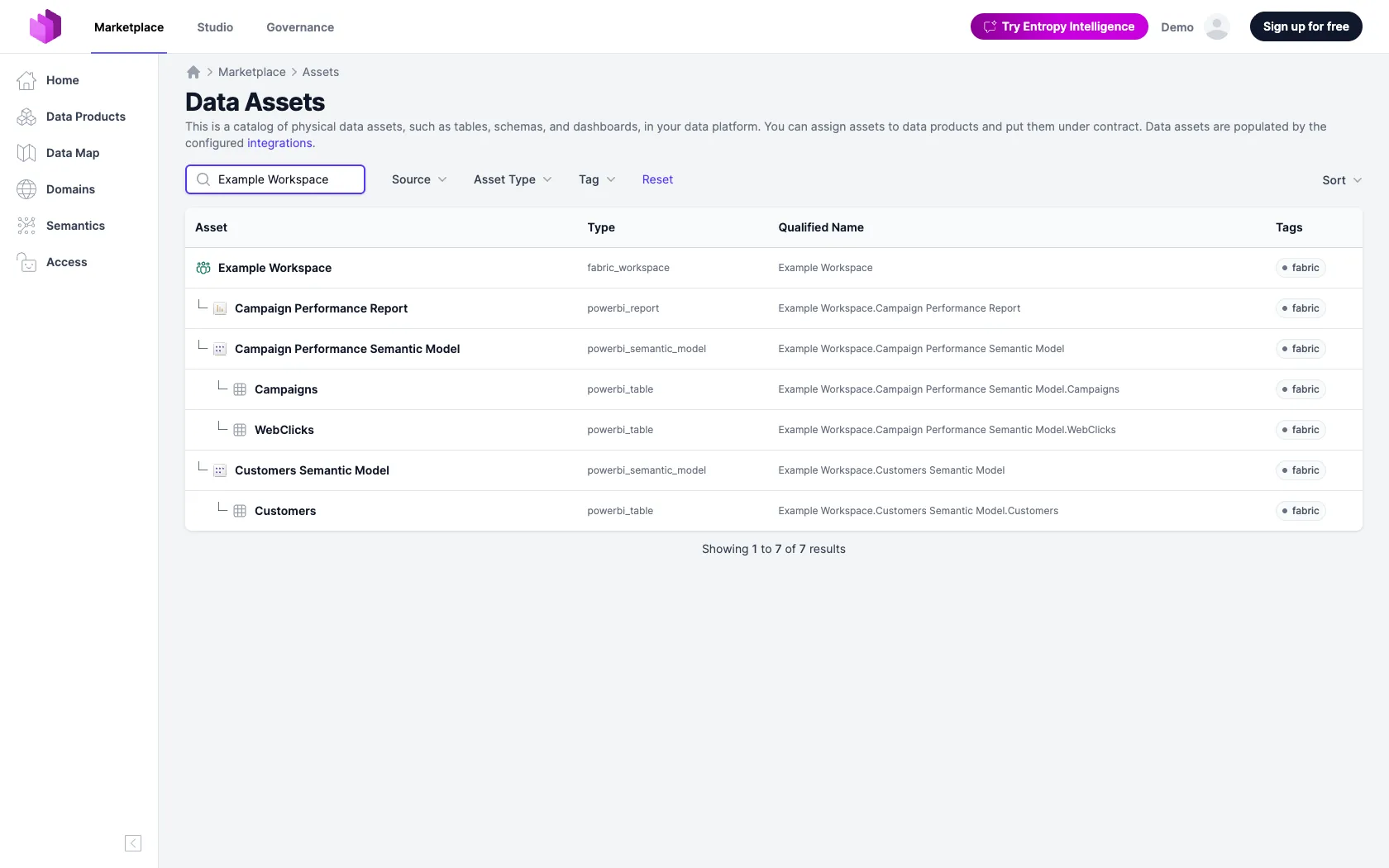
Full support, future-proof. When Microsoft ships a new Fabric item type, it still shows up in your catalog instead of being silently dropped. The integration stays current with Fabric by design.
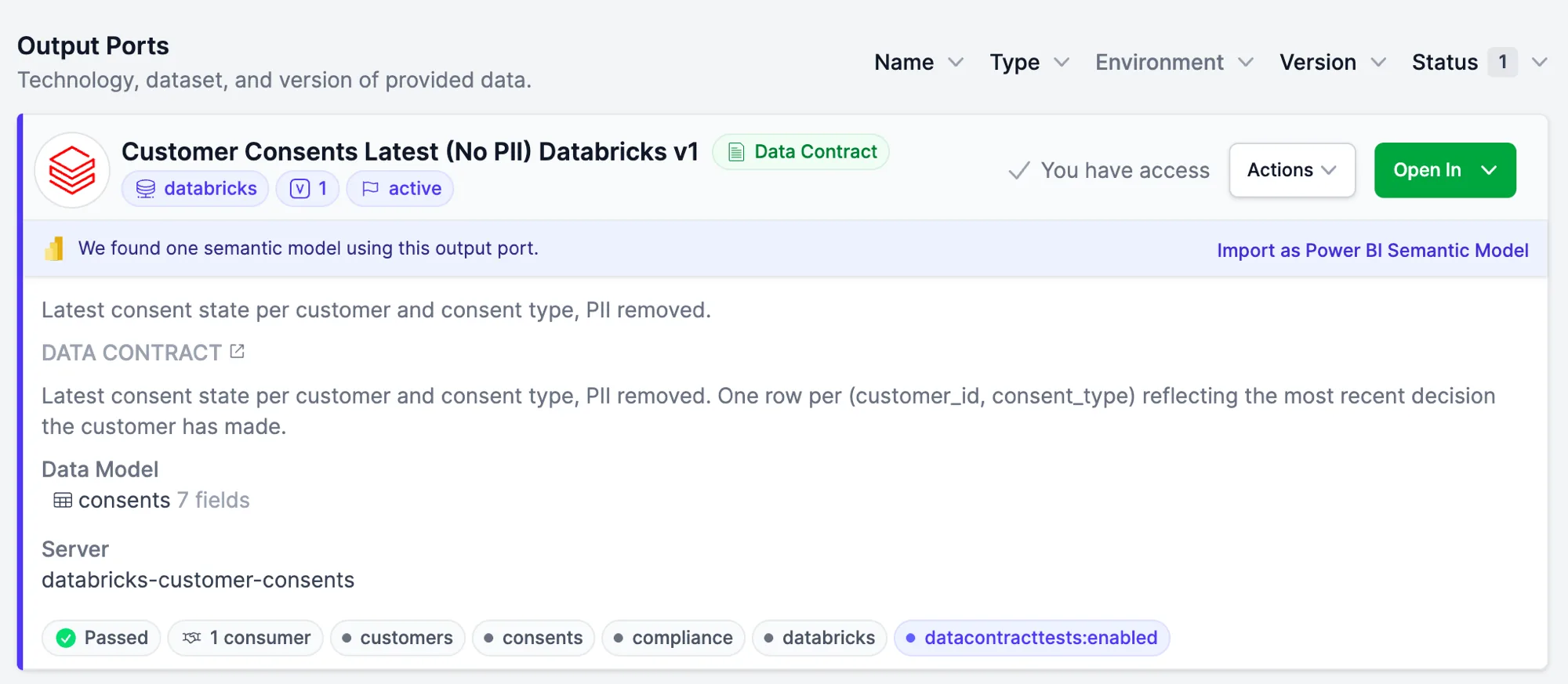
Auto-connects existing data products with existing semantic models. Already built a semantic model on the same Snowflake or Databricks table? Entropy Data matches it by structure and suggests the connection right on the output port, with no duplicates and no manual mapping. Your existing analytical work is recognized, not recreated.
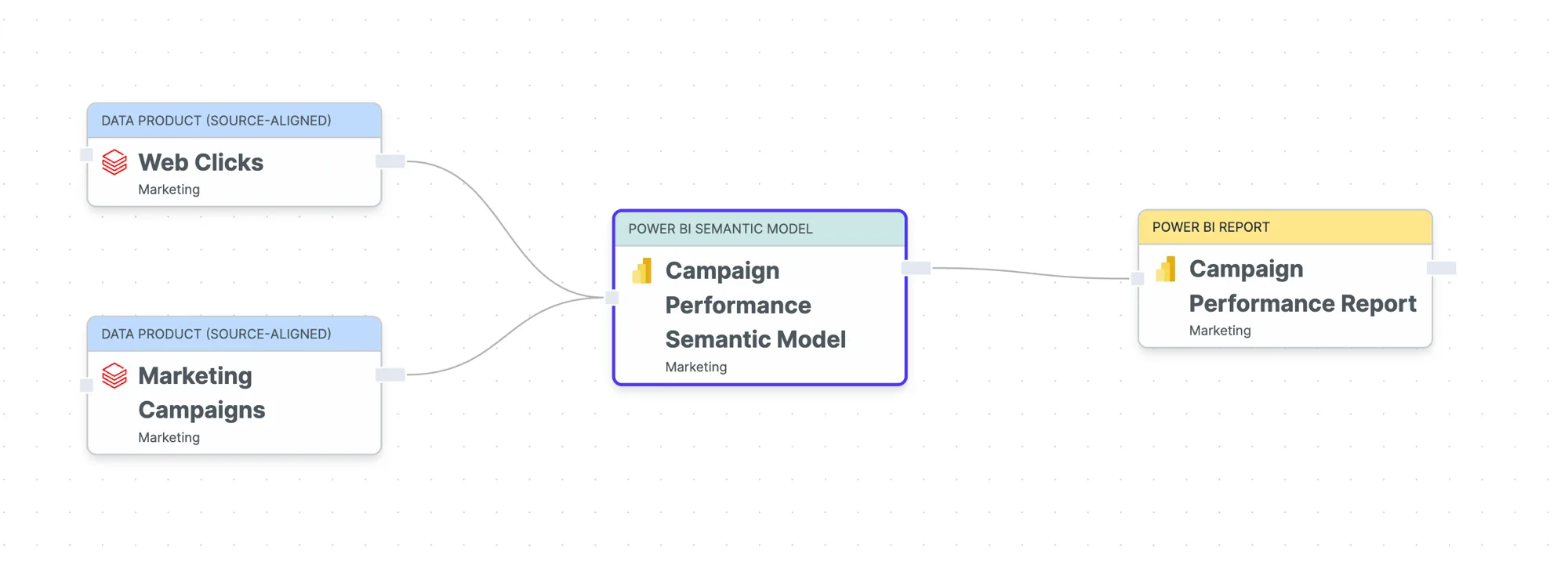
Data flow visible across your whole organization. Power BI joins end-to-end lineage. The flow no longer stops at the warehouse. It runs through the semantic model and out to the report, in one connected map.
Align your semantic layer to your Power BI semantic model
A semantic model on its own is just column names and types. Entropy Data overlays what the data contracts upstream of it already hold: descriptions, classifications, examples, key and required flags, and the Semantics that link each column to the shared business concepts it represents. Every column then carries the meaning agreed at the source, traceable to the exact contract it came from. And when you put that semantic model under its own data contract, the enrichment travels with it: the generated contract arrives pre-filled with the inherited Semantics, ready to review and certify instead of write from scratch.
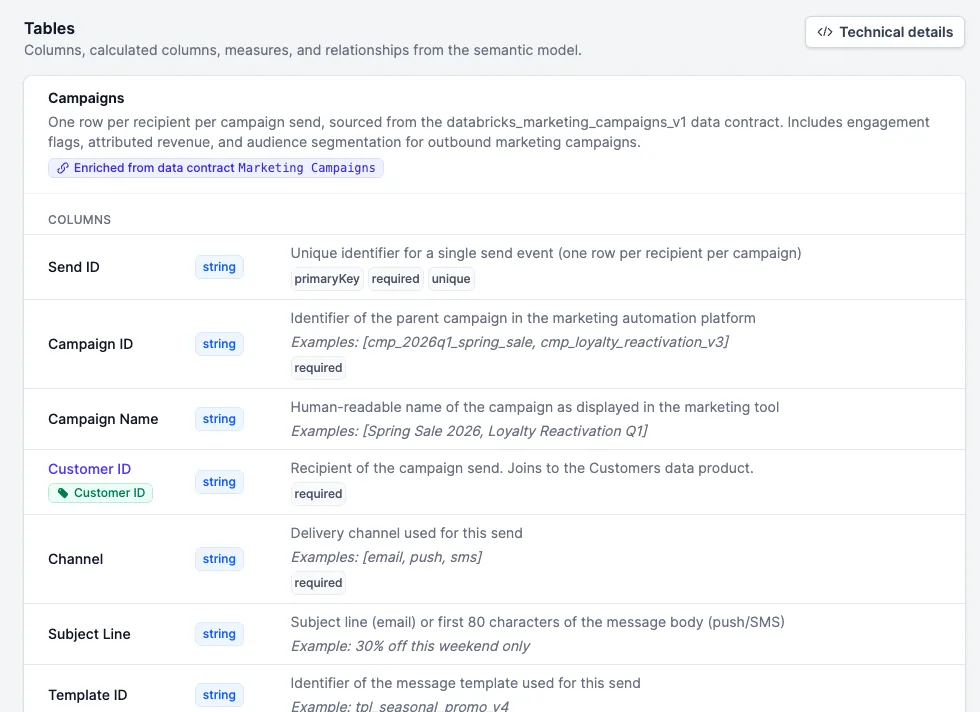
Put your semantic models under contract
A Power BI semantic model in Entropy Data is a first-class data product, so it can do what every data product does: go under a data contract. The contract turns the model's tables, columns and types into an explicit, versioned promise, and every team building reports on it knows exactly what they depend on and is warned before anything changes. Those are guarantees downstream consumers can count on. And because the contract is machine-readable, it can be tested automatically. Schema-drift and data-quality checks run against the model, so a change inside Power BI that breaks the agreement shows up as a failed test instead of a dashboard someone finds broken on Monday.
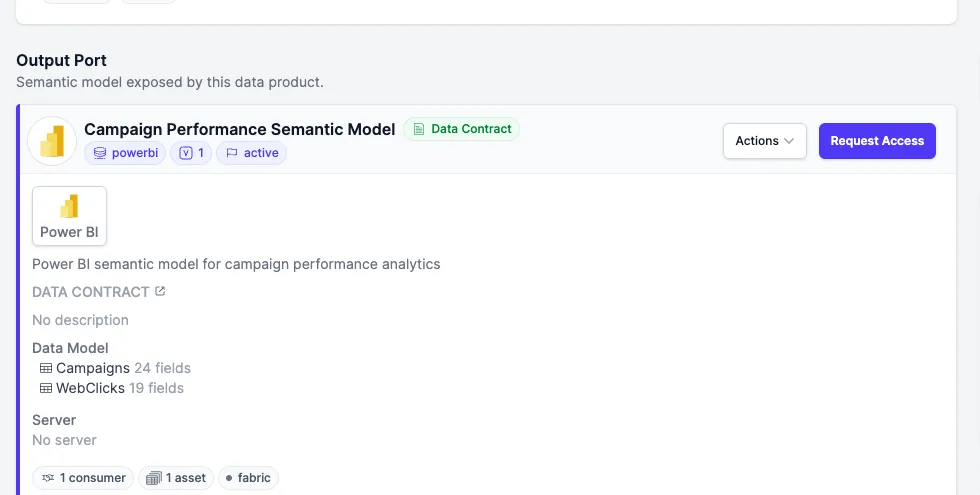
Publish a source-aligned data product directly to Power BI
Found a governed data product you want to build your next analysis on? You don't need to hand-wire it into Power BI yourself. The Publish to Power BI feature pushes a source-aligned data product straight into a Power BI workspace as a semantic model. You pick the workspace, choose or configure the connection and its type, and Entropy Data wires up the rest from the data product's contract: the tables, the columns, the types. What lands in Power BI is a semantic model that already matches the governed data product, connected to its source and ready to use, so the only thing left for you to do is build your report.
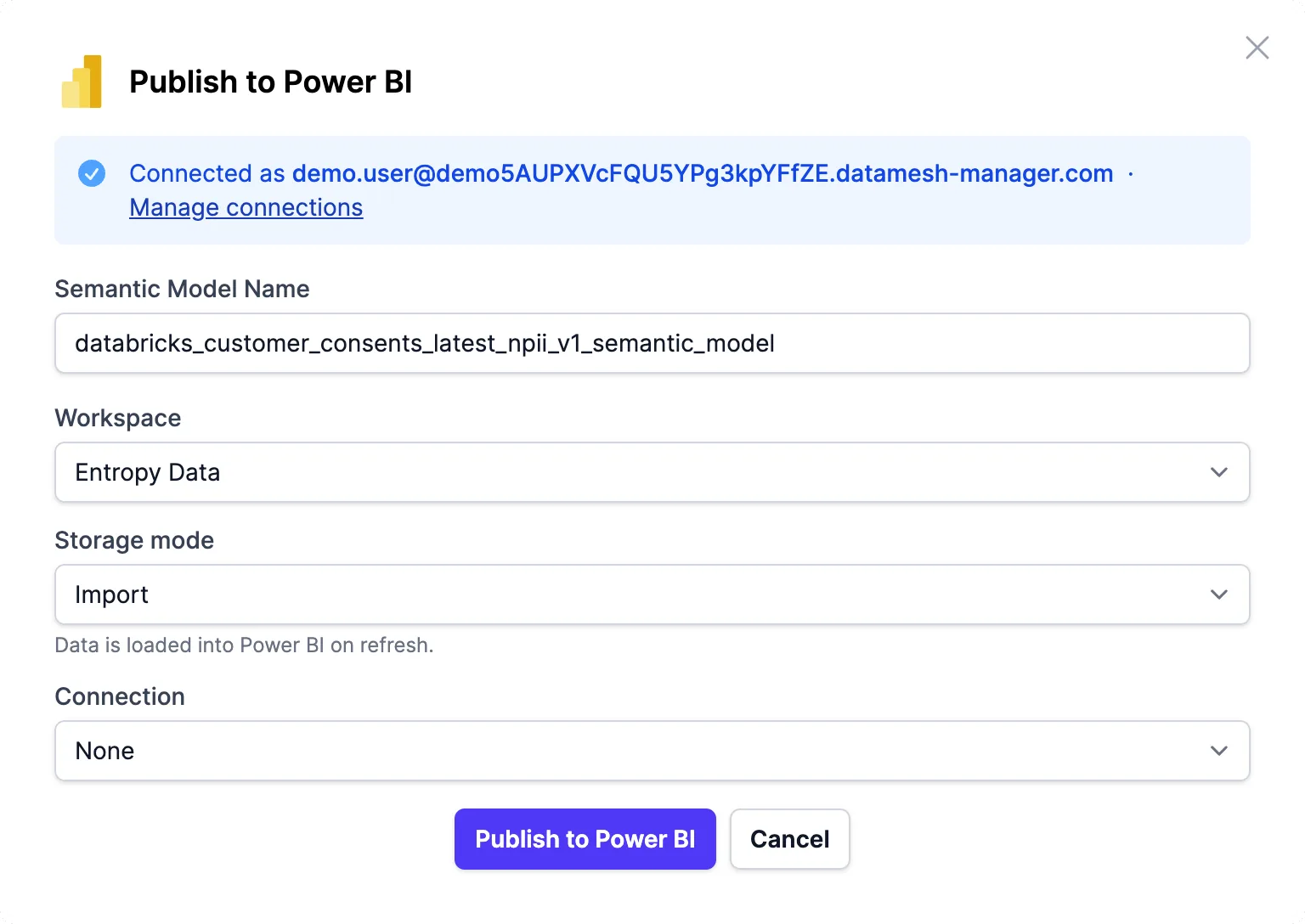
The model's logic, not just its columns
A semantic model's real value is the logic layered on top of its tables, and Entropy Data reads all of it straight from the model definition: the calculated columns and their DAX formulas, the measures (conversion rate, attributed revenue per send, click counts), and the relationships that join the tables, all shown right next to the plain columns. Logic that used to live only inside Power BI is now visible, searchable and governed in your catalog.
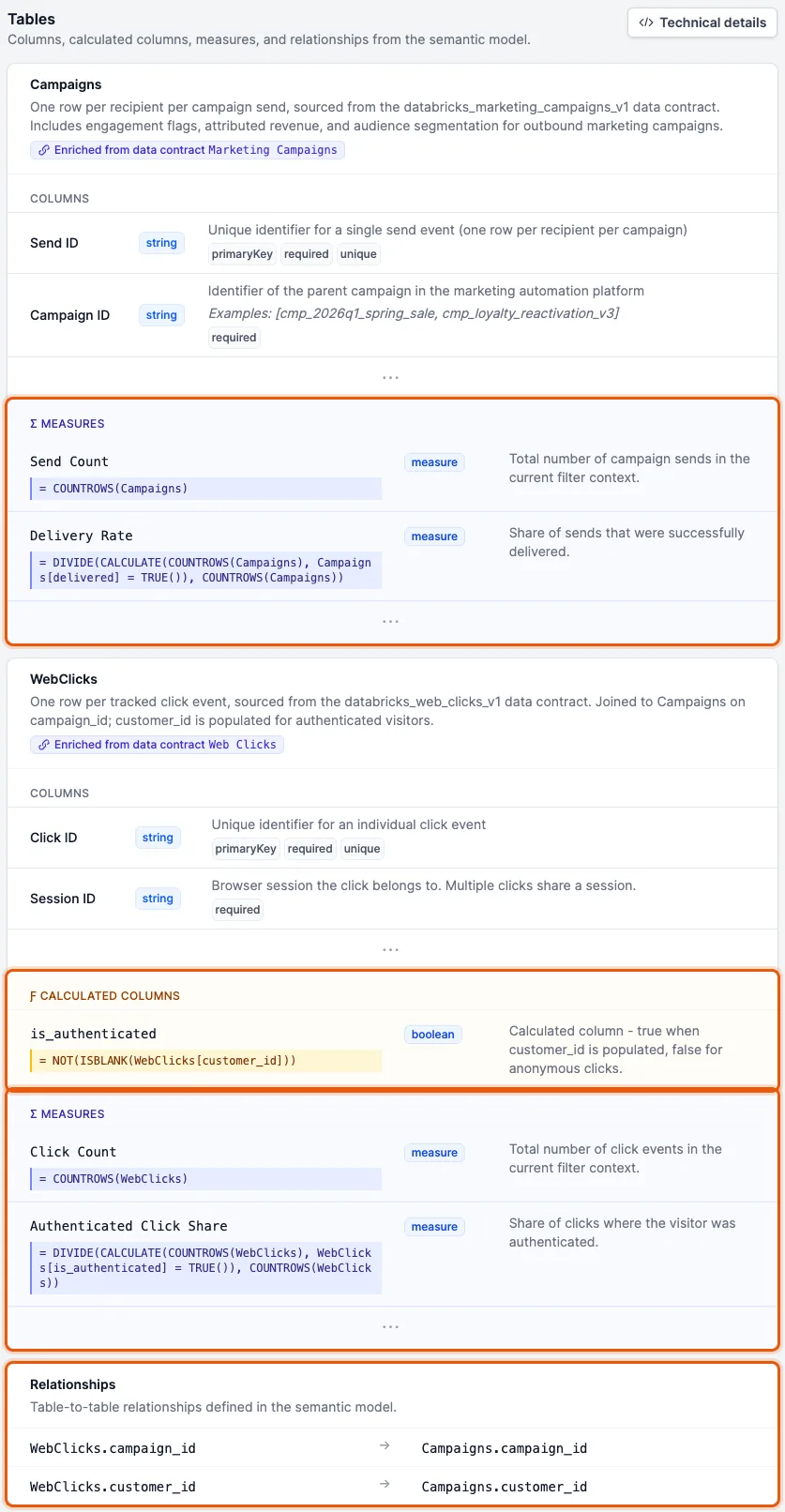
About the author
Jochen Christ
LinkedIn of Jochen ChristCo-Founder & CTO, Entropy Data
Jochen builds tools that help data, people, and AI work together. He is the author of the Data Mesh Architecture website, maintainer of the Data Contract CLI, and a TSC member of the Linux Foundation's Bitol project, home of the Open Data Contract Standard.