Data Contracts with dbt
How do you use data contracts in a dbt project?
By Dr. Simon Harrer · · 2:24 video · 7 slides
In short
Keep one copy of the schema: the data contract. The Data Contract CLI imports the first contract from the dbt manifest. Then it writes the contract into the dbt project as properties and tests. In CI, a second sync and a diff stop drift.
Watch on YouTube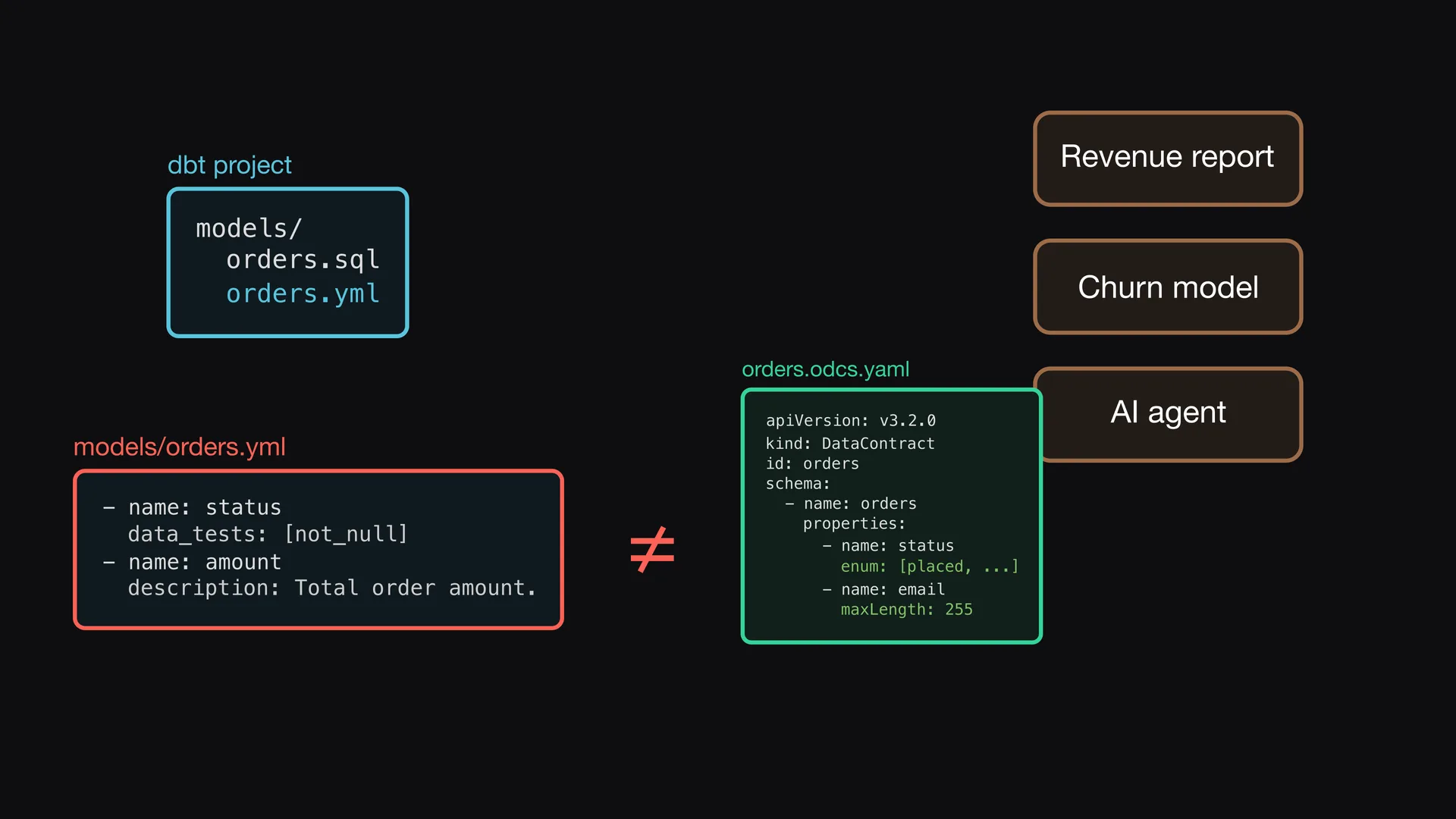
Two copies of the schema
A dbt project builds the orders model, and other teams use it. The properties file describes the columns, but data consumers do not read your repository. If you write a data contract by hand, you have two copies of the schema. They become different over time.
Start from the manifest
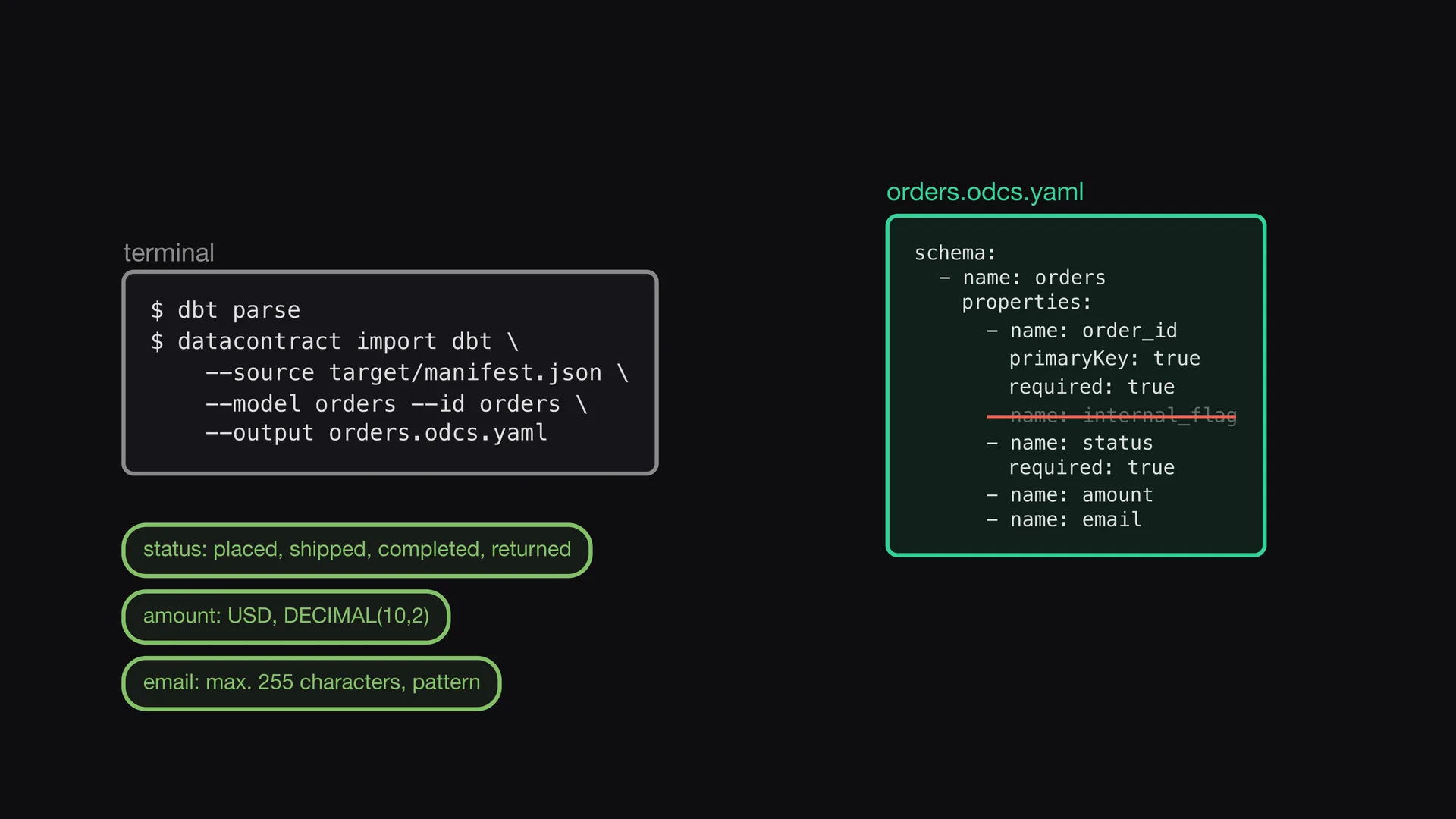
The command dbt parse writes the manifest. The Data Contract CLI imports the orders model from it, with columns, descriptions, primary keys, and required fields. Then you remove an internal column and add the allowed values, the currency, and the email format.
Sync into the project
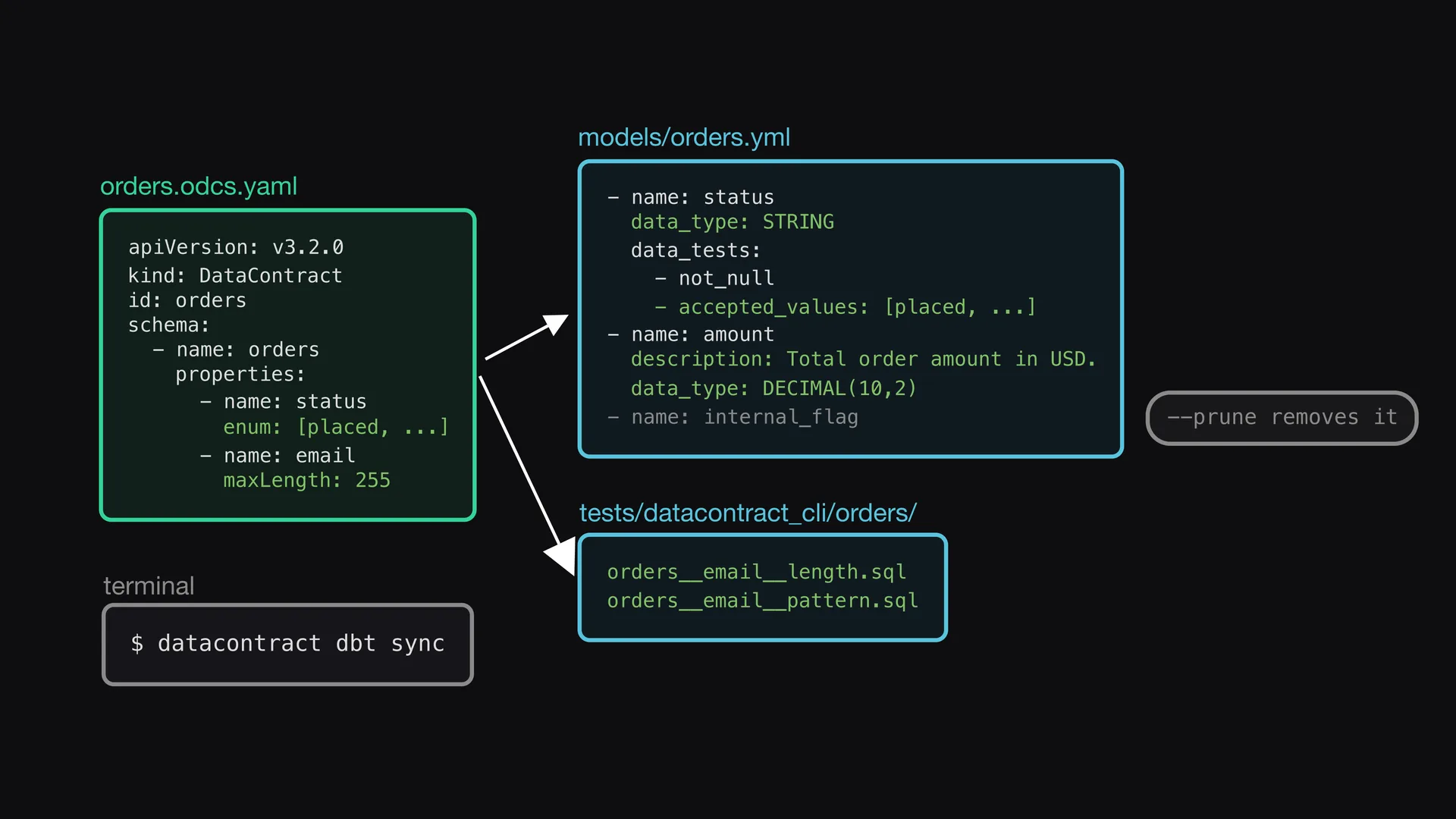
The command datacontract dbt sync writes the contract into the properties file: descriptions, data types, and tests. Checks that dbt cannot express, such as the length and the pattern of the email, become SQL tests. Columns that are not in the contract stay in the project.
Test in the words of the contract
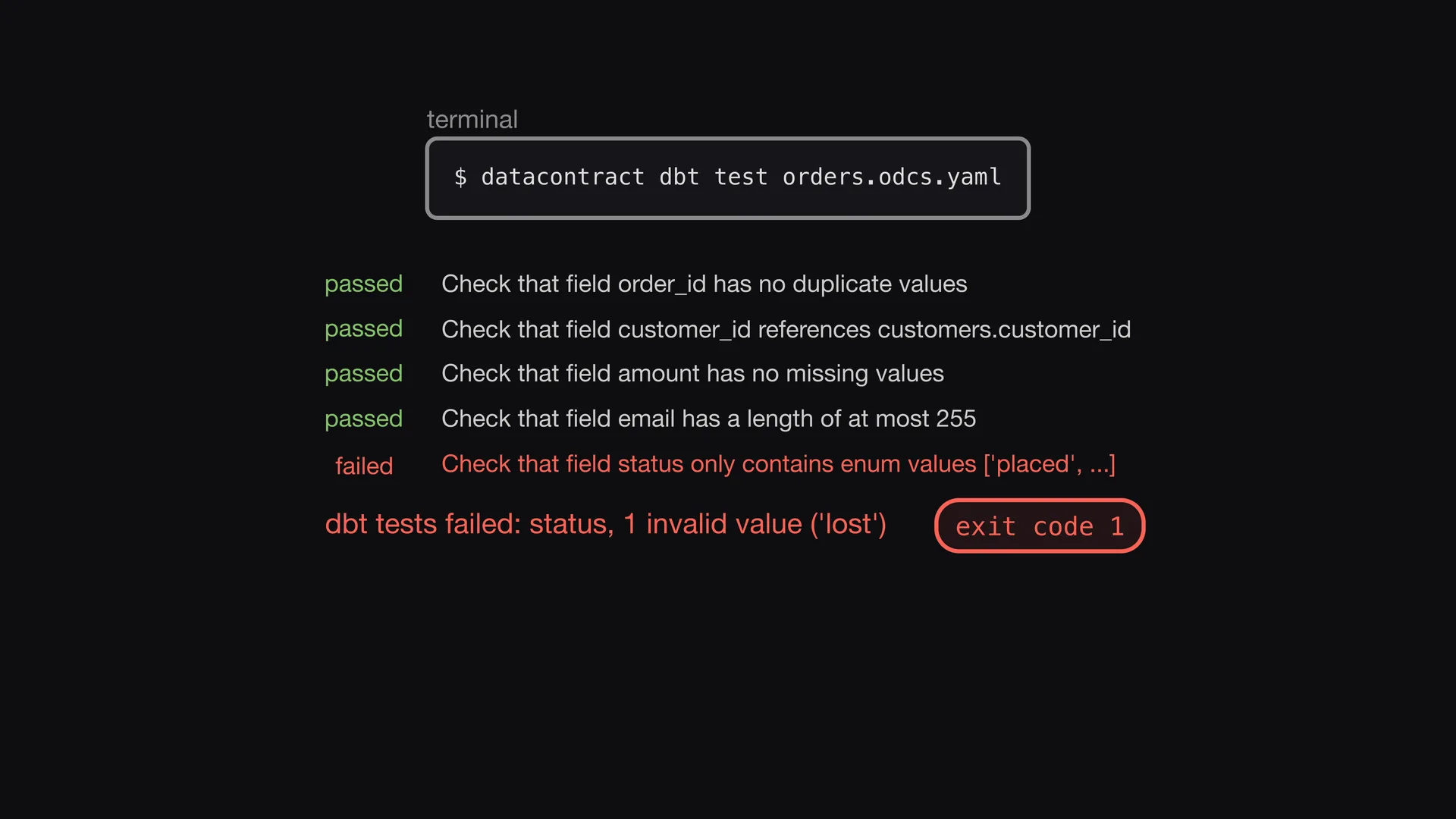
The command datacontract dbt test runs the tests and shows each check with the name from the contract. If an order has a status that the contract does not allow, the check fails. The command then gives an error code, so a pipeline can stop.
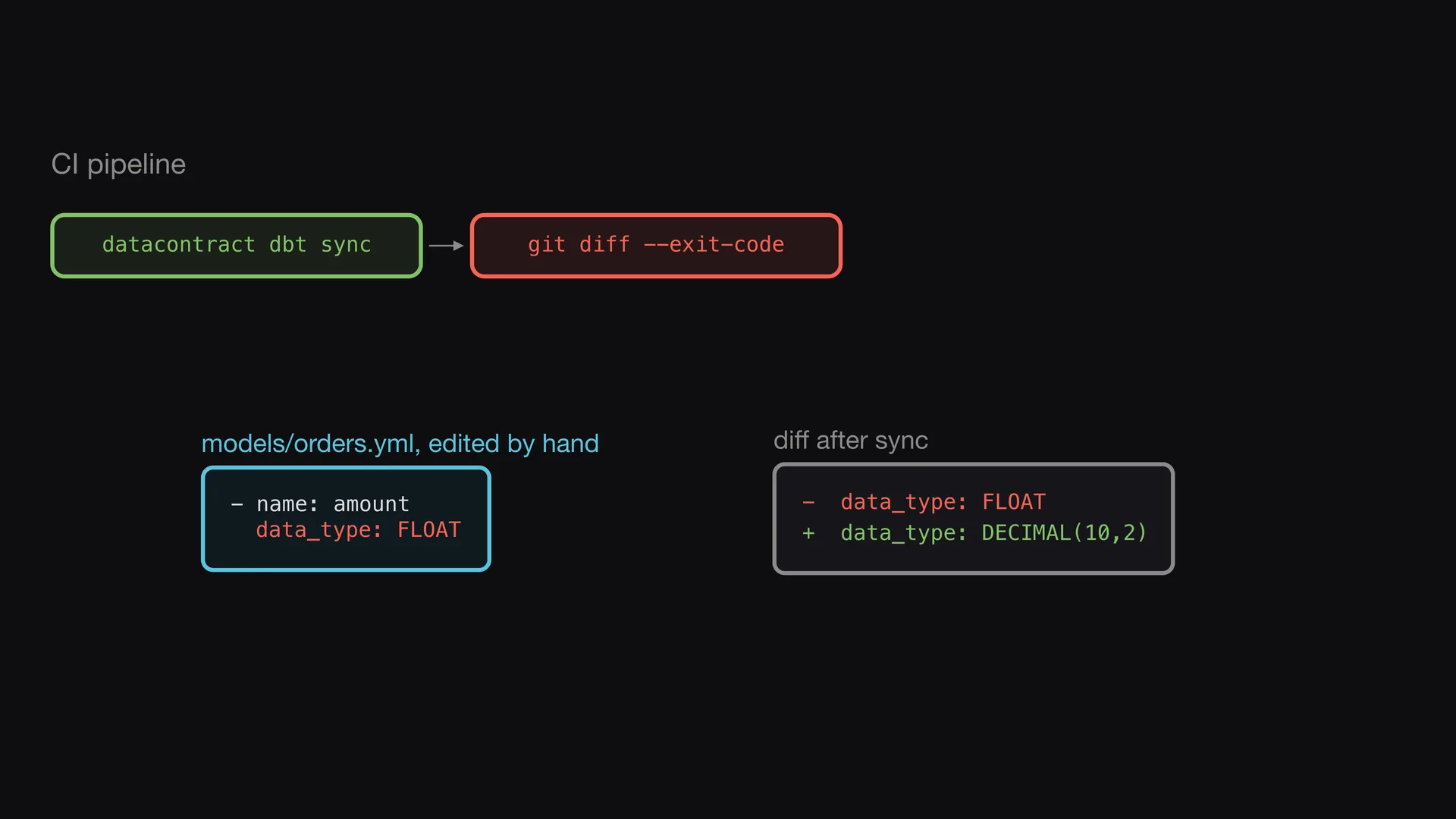
Stop drift in CI
In CI, the pipeline runs the sync again and examines the difference. If a person changes the dbt file and not the contract, the sync writes the contract value back. The difference is not empty, and the build fails on that commit.
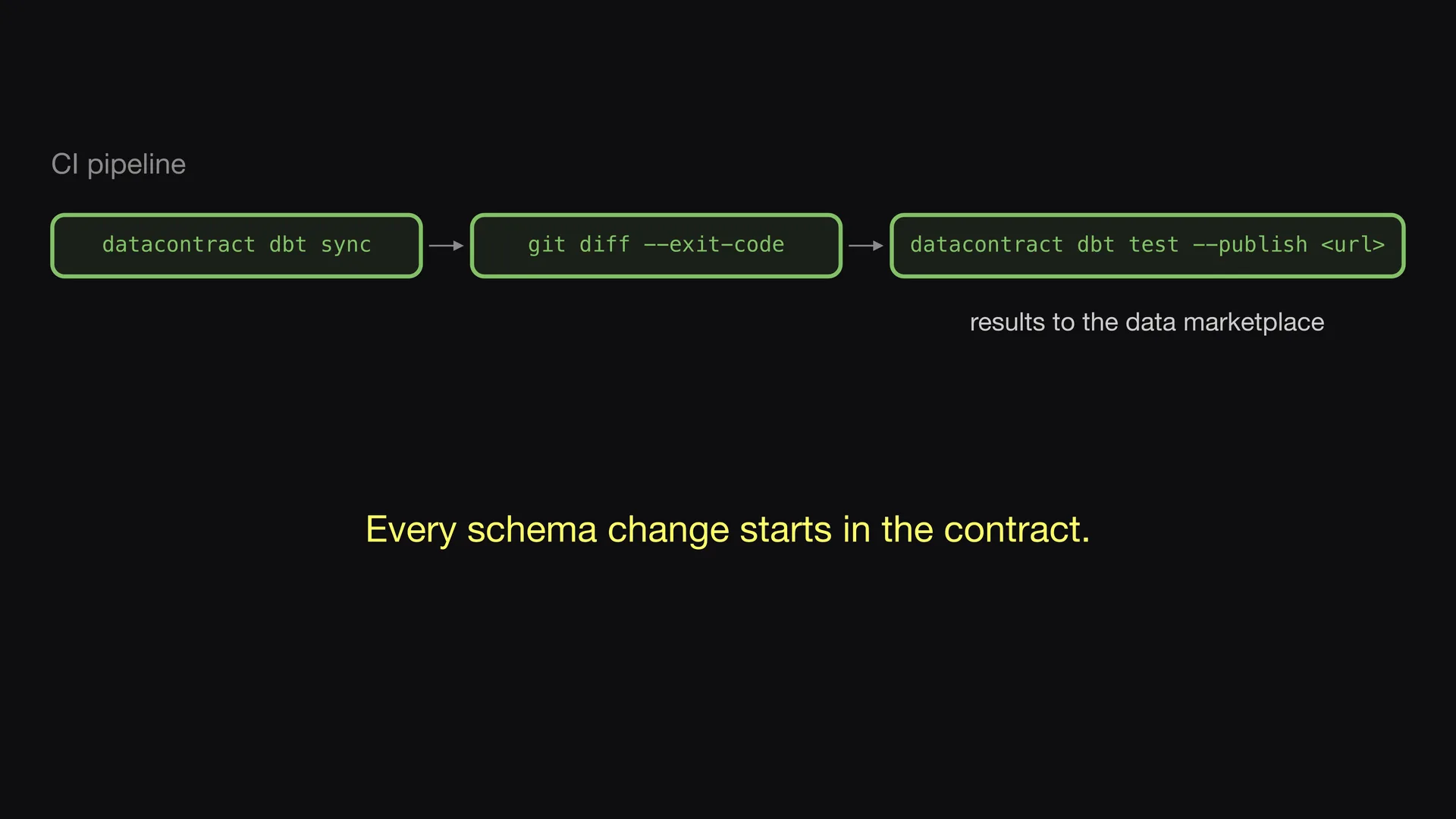
Publish the results
If the contract and the dbt project agree, the tests run. The results go to the data marketplace, where data consumers can see them. Thus each change to the schema starts in the data contract. Episode 6 shows the full pipeline.
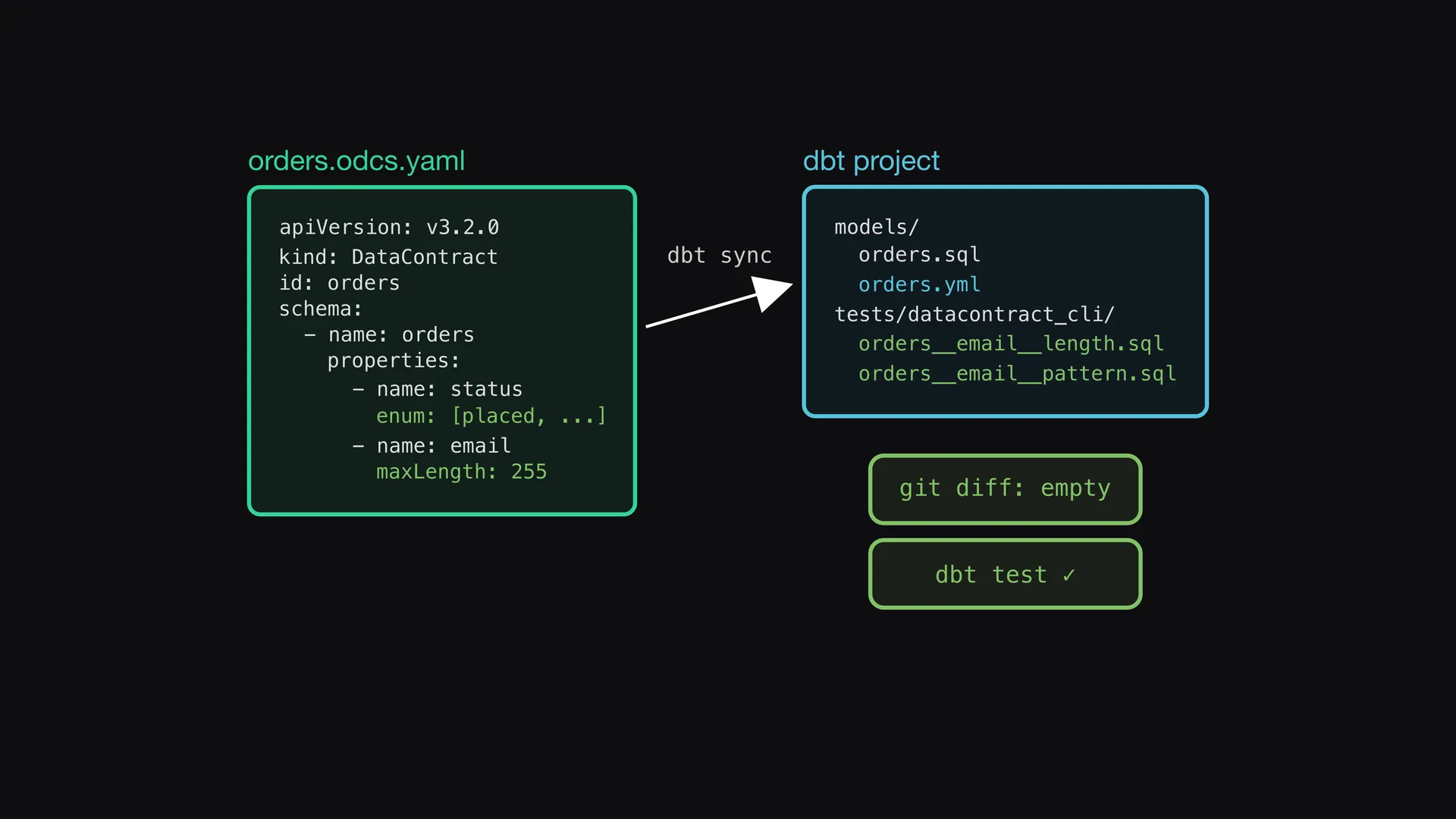
One copy of the schema
The data contract is the only copy of the schema. The sync command writes it into the dbt project as properties and tests. The tests examine the data, and CI makes sure that the contract and the dbt project do not become different.